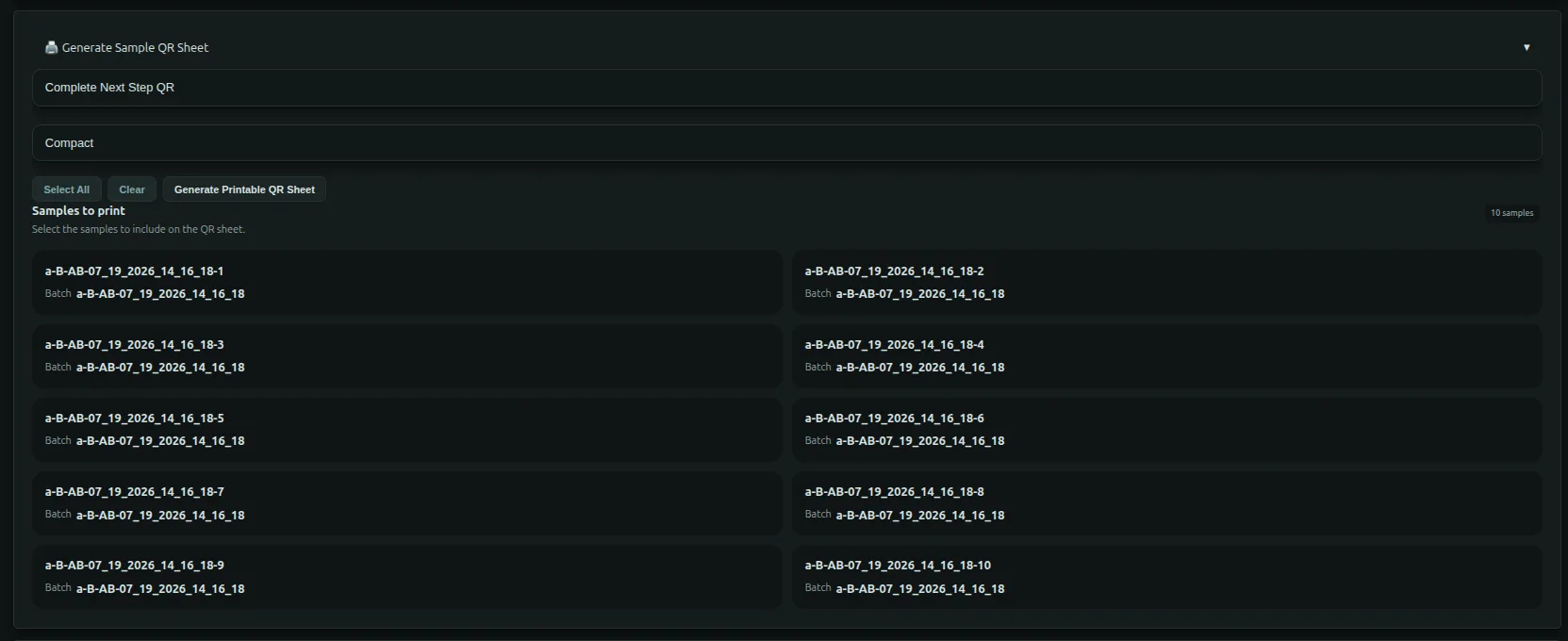
QR Codes & Rapid Workflow Execution
Flask Track includes built-in QR code support to streamline on-bench execution, traceability, and real-time workflow progression.
QR codes reduce manual navigation, prevent context errors, and allow technicians to interact with live workflows directly from the lab bench.
QR Code Types in Flask Track
Flask Track generates two primary categories of QR codes:
- Execution QR Codes – used to advance active workflows
- Information QR Codes – used to quickly access entity records
Each serves a distinct purpose in daily lab operations.
Workflow Execution QR Codes (Batch QR Codes)
What They Do
For active batches, Flask Track generates a Workflow Execution QR Code that allows a user to:
- Instantly mark the next scheduled protocol step as complete
- Progress the batch workflow in real time
- Record execution timestamps automatically
- Preserve traceability of who completed each step
This is designed for hands-on lab execution, where speed and accuracy matter.
How It Works
- A batch is created using a workflow
- The batch enters an In Progress state
- Flask Track identifies the next pending protocol step
- A QR code is generated and displayed on the batch page
- A technician scans the QR code using a phone or tablet
- The system:
- Authenticates the user
- Validates permissions and compliance requirements
- Marks the next step complete
- Advances the workflow schedule
No manual searching or navigation is required.
Safety & Compliance Enforcement
Before allowing a step to complete, Flask Track verifies:
- Required compliance checklists are satisfied
- No blocking regulatory rules are active
- Required approvals have been granted
- The user has sufficient permissions
If requirements are unmet, execution is blocked and the reason is displayed.
Typical Use Cases
- Sterile hood procedures
- Time-sensitive incubations
- Repetitive production workflows
- Multi-day tissue culture protocols
- Shared lab environments with multiple technicians
Printable Workflow QR Codes
Batch workflow QR codes can be printed and posted:
- On incubators
- On culture vessels
- On batch folders
- At workstations
This enables “scan-and-complete” execution without logging into the system manually.
Information QR Codes (Entity QR Codes)
In addition to execution QR codes, Flask Track generates Information QR Codes for key entities.
These QR codes do not change state — they simply link to the entity's detail page.
Supported Entities
Information QR codes are available for:
- Batches
- Samples
- Protocols
- Workflows
Scanning an information QR code opens the entity's view page in Flask Track.
What Information QR Codes Are Used For
- Identifying samples on the bench
- Verifying batch context
- Reviewing protocol details mid-execution
- Accessing compliance status quickly
- Confirming ownership, state, and history
They are especially useful for labeling tubes, plates, racks, and culture containers.
Audit & Traceability
All QR-driven actions are fully auditable.
When a workflow step is completed via QR scan, Flask Track records:
- User identity
- Timestamp
- Action performed
- Entity affected
- Resulting state change
This information appears in:
- The batch execution timeline
- The entity history
- The immutable audit log
QR usage does not bypass compliance or logging.
Design Philosophy
QR codes in Flask Track are designed to:
- Reduce friction during execution
- Prevent accidental mis-clicks
- Eliminate context switching
- Improve data accuracy
- Preserve regulatory integrity
They make compliant execution faster, not riskier.
Summary
| QR Code Type | Purpose | Changes State |
|---|---|---|
| Workflow Execution QR | Advance next batch step | ✅ Yes |
| Information QR | Open entity record | ❌ No |
QR codes are an optional but powerful enhancement to everyday lab workflows — especially in high-throughput or regulated environments.