Reports and data exports
Reports turn FlaskTrack operational records into reviewable tables, summaries, charts, and export files.
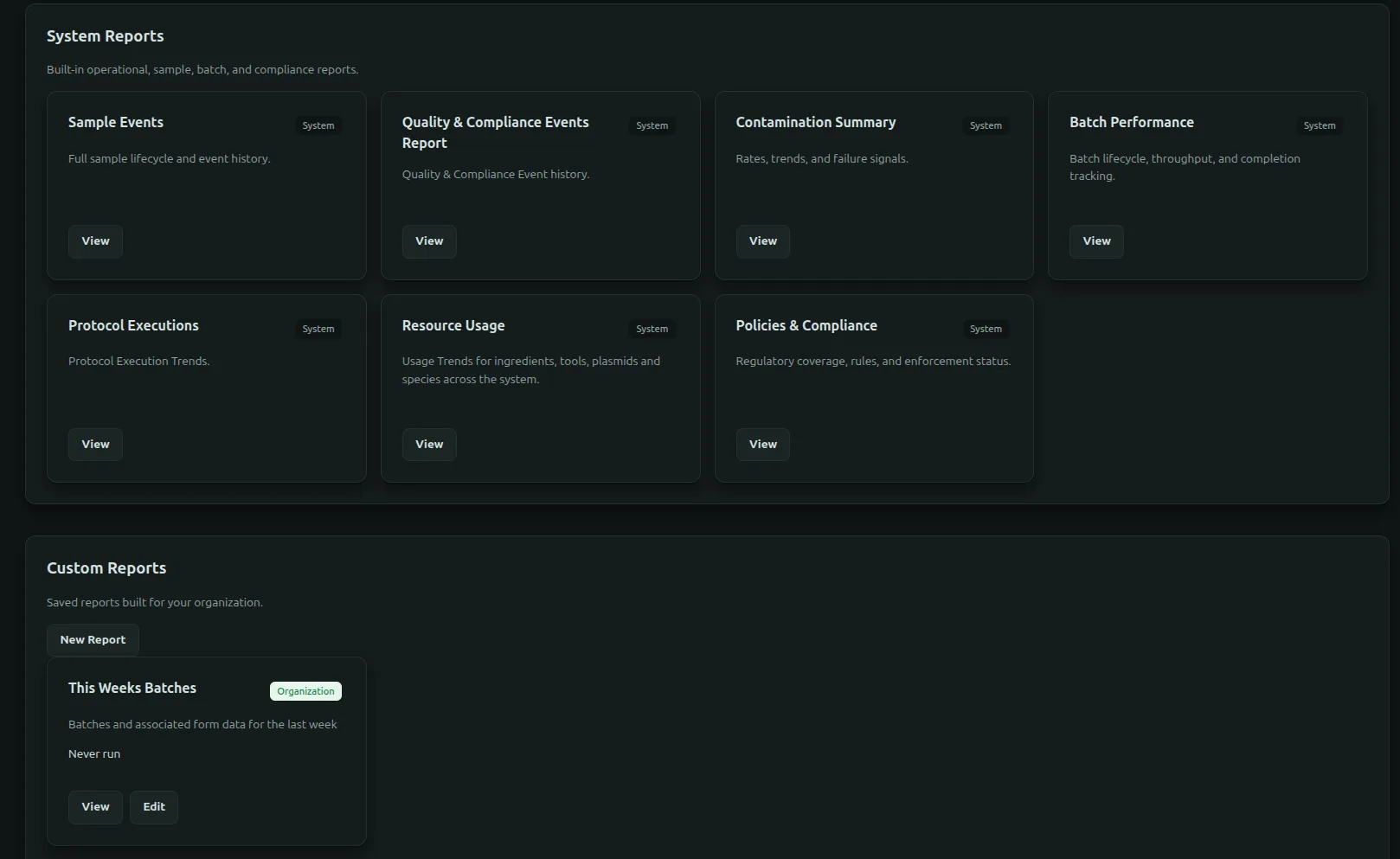
Built-in reports
Available reports can cover batches, samples, protocol execution, timing, inventory, compliance, audit activity, and other enabled modules. Use filters to constrain organization, date range, status, domain, species, workflow, or other supported fields.
Custom SQL reporting
Authorized users can create custom reports from the approved reporting interface. The SQL assistant may help draft a query, but the user must review joins, filters, units, timezones, null handling, aggregation, tenant scope, and result size before saving or sharing it.
Do not use write statements in a read-only reporting workflow. The reporting connection and server authorization remain the enforcement boundary.
Exports
Export formats depend on the report and deployment and may include CSV or other structured files. Exports can contain sensitive operational or personal data; store them only in approved locations.
Reproducibility
For a report used in a decision or regulated record, preserve:
- report name and version;
- query or configuration;
- filters and time range;
- timezone;
- generation timestamp;
- generating user;
- source release or environment when relevant;
- exported file and approval evidence.
API and automation
Approved integrations can retrieve supported report definitions or outputs through the API. Apply rate limits, access control, and secure retention to automated exports.