Files
The file explorer provides a central view of files attached throughout FlaskTrack.
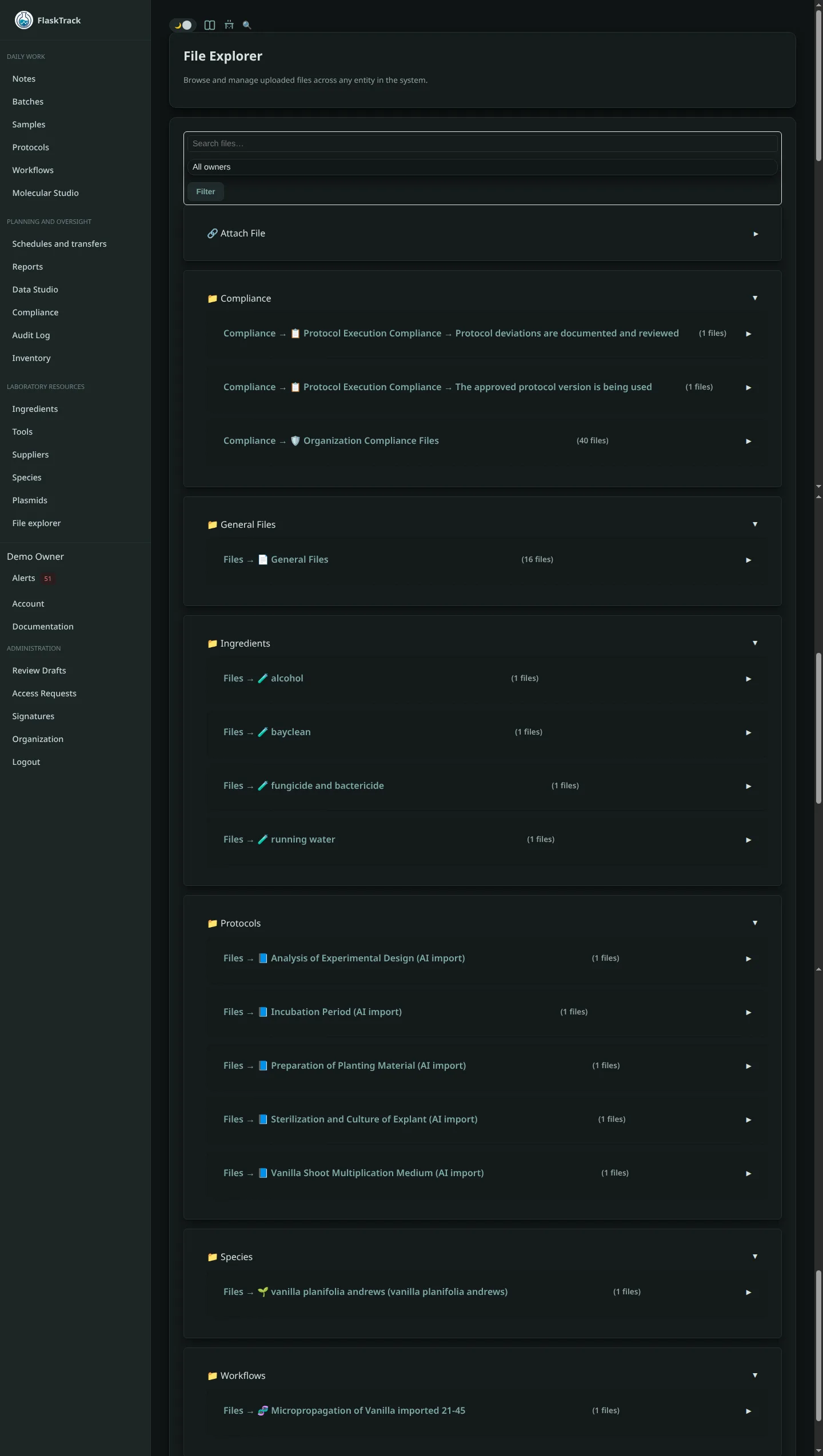
File ownership
A file is associated with an organization and may also belong to a protocol, workflow, batch, sample, catalog item, note, compliance record, validation package, or other supported entity. This relationship provides operational context and access control.
Upload a file
- Open the destination entity or file explorer.
- Choose the appropriate owner or category.
- Select the file and add a clear description.
- Confirm the file is appropriate for the organization and record.
- Upload and verify that it can be opened.
Use meaningful filenames and avoid replacing a controlled document with a different file under the same ambiguous name.
Search and filtering
Filter by owner type, related record, filename, upload date, or uploader where supported. Search results remain subject to organization and role permissions.
Compliance evidence
When a file supports a checklist, event, qualification execution, release, or approval, attach it to the exact controlled record. A file stored only in a general folder may be difficult to associate with the decision it supports.
Versions and replacement
Where document versioning is supported, create a new version rather than overwriting historical evidence. Preserve the version used for an approval or execution.
Security
- Upload only authorized content.
- Do not rely on filename extensions to prove file safety.
- Restrict sensitive exports and personal information.
- Remove access when collaborators no longer require it.
- Follow retention, archival, and deletion procedures.
Audit
Uploads, metadata changes, associations, downloads, and deletions may produce audit entries according to the implemented audit mapping.