Your first login
Start with your own account. If you manage the lab’s FlaskTrack setup, continue with the organization checklist below.
For everyone: prepare your account
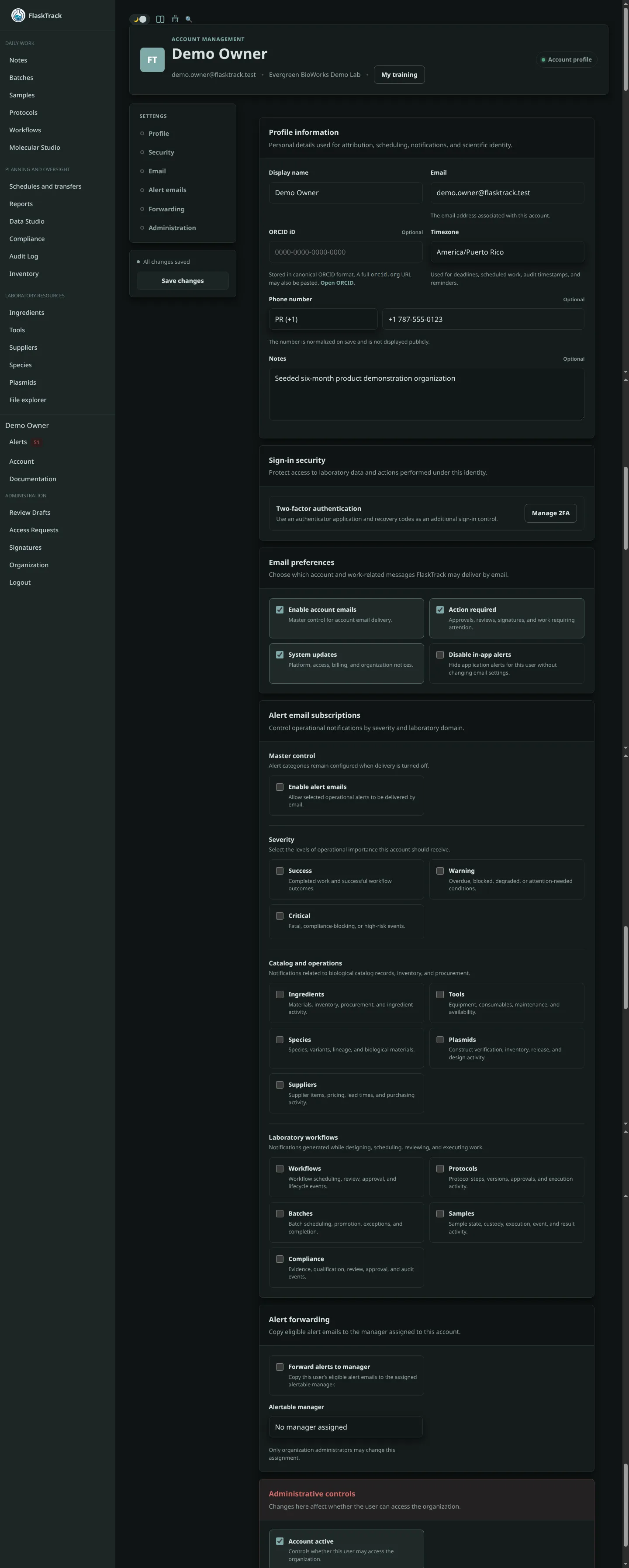
Open Account settings and verify your name, email, and timezone. Add an ORCID iD when your organization uses researcher attribution.
Enable two-factor authentication, save the recovery codes in an approved password manager, and review active sessions. Do not share a FlaskTrack account or API key.
Find your next task
If your lab already has procedures and work ready, ask which batch or sample to open, then follow Execute laboratory work. You do not need to configure the organization yourself.
For owners and administrators: prepare the lab
Use the remaining checklist before your organization begins production work.
1. Review organization settings
An Owner or Admin should confirm:
- organization name and timezone;
- members, roles, pending invitations, and access requests;
- billing and deployment settings available to the organization;
- alert destinations and integration credentials;
- AI provider configuration, when AI features will be used.
2. Review starter and imported content
New organizations may contain starter or imported species, ingredients, tools, plasmids, protocols, workflows, and compliance records. Open Review Drafts and either approve, correct, reject, archive, or delete each item according to organizational policy.
Do not execute a draft procedure merely because it was supplied as starter content.
3. Configure catalogs and inventory
Create the catalog records used by your laboratory, then connect supplier items, locations, and starting lots. Set the default inventory effect for consumable or reservable resources and verify any protocol-step overrides.
Inventory setup explains the recommended sequence.
4. Establish controlled procedures
Create or review protocols, protocol steps, structured data forms, workflow protocol order, and scheduled offsets. Approve the exact versions that should be used in operations.
5. Configure compliance and validation
Organizations using controlled or regulated workflows should review:
- audit-trail behavior;
- electronic-signature actions;
- compliance frameworks and checklists;
- 21 CFR Part 11 support boundaries;
- validation documentation;
- IQ/OQ/PQ qualification workspaces.
6. Configure notifications
Use in-app alerts for scheduled and overdue work. Configure one or more external destinations only after testing them with non-sensitive content:
7. Run a controlled pilot
Create a small test batch, execute every step, attach evidence, verify inventory effects, review alerts, confirm audit entries, and export the resulting records. Correct configuration issues before broader use.
Production readiness
Keep a dated record of who reviewed configuration, what was tested, which release was evaluated, and which limitations were accepted.
Account screen reference