ORCID researcher attribution
Users may add an ORCID iD to their FlaskTrack profile. ORCID provides a persistent identifier for researchers and helps distinguish people with similar names.
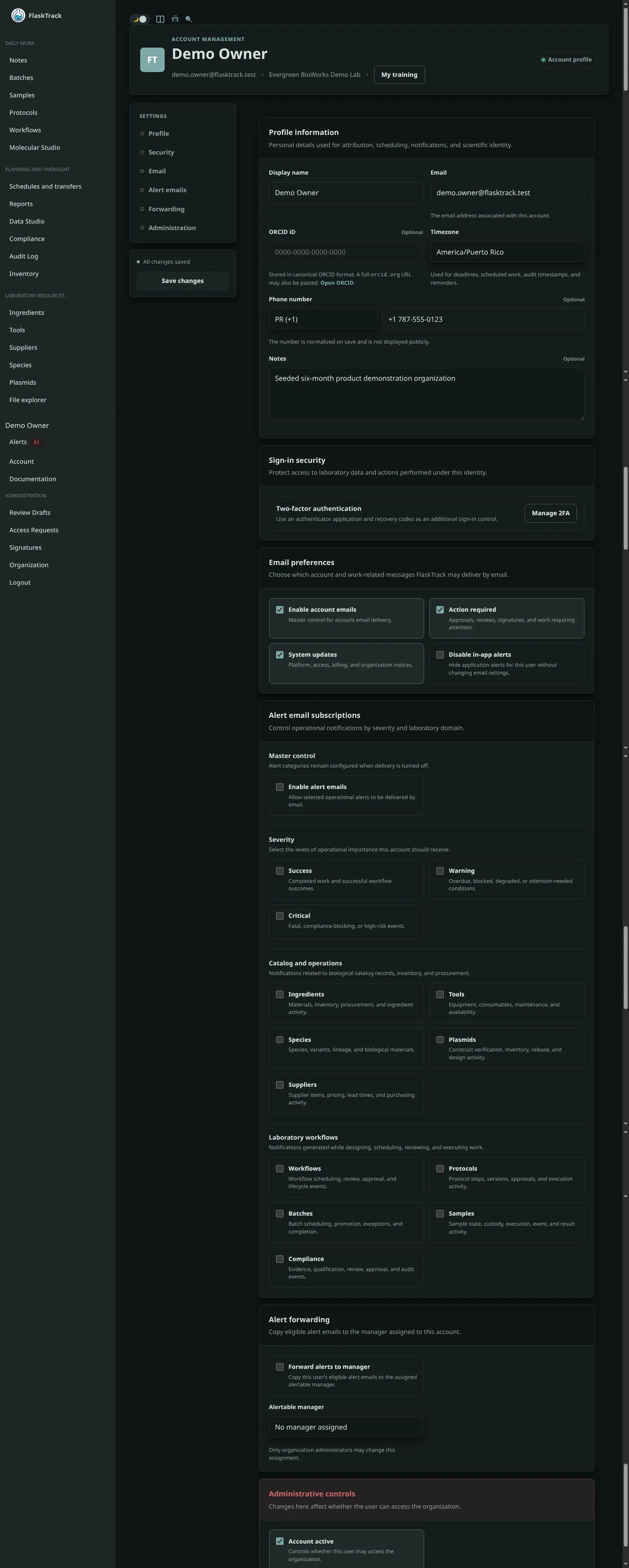
Add an ORCID iD
- Open Account settings.
- Enter the 16-character ORCID iD in canonical form, such as
0000-0000-0000-0000. - A full
orcid.orgprofile URL may also be accepted. - Save the profile.
The final character may be a digit or X, according to ORCID formatting rules.
How FlaskTrack uses it
The identifier can support user attribution in records, exports, reviews, and scientific collaboration. Adding an ORCID iD does not automatically verify identity, employment, authorship, or ownership of an ORCID profile.
Privacy
ORCID is optional. Users should add it only when appropriate for the organization’s attribution and privacy practices.