Instrument parser profiles
A parser converts an incoming instrument artifact into structured FlaskTrack data.
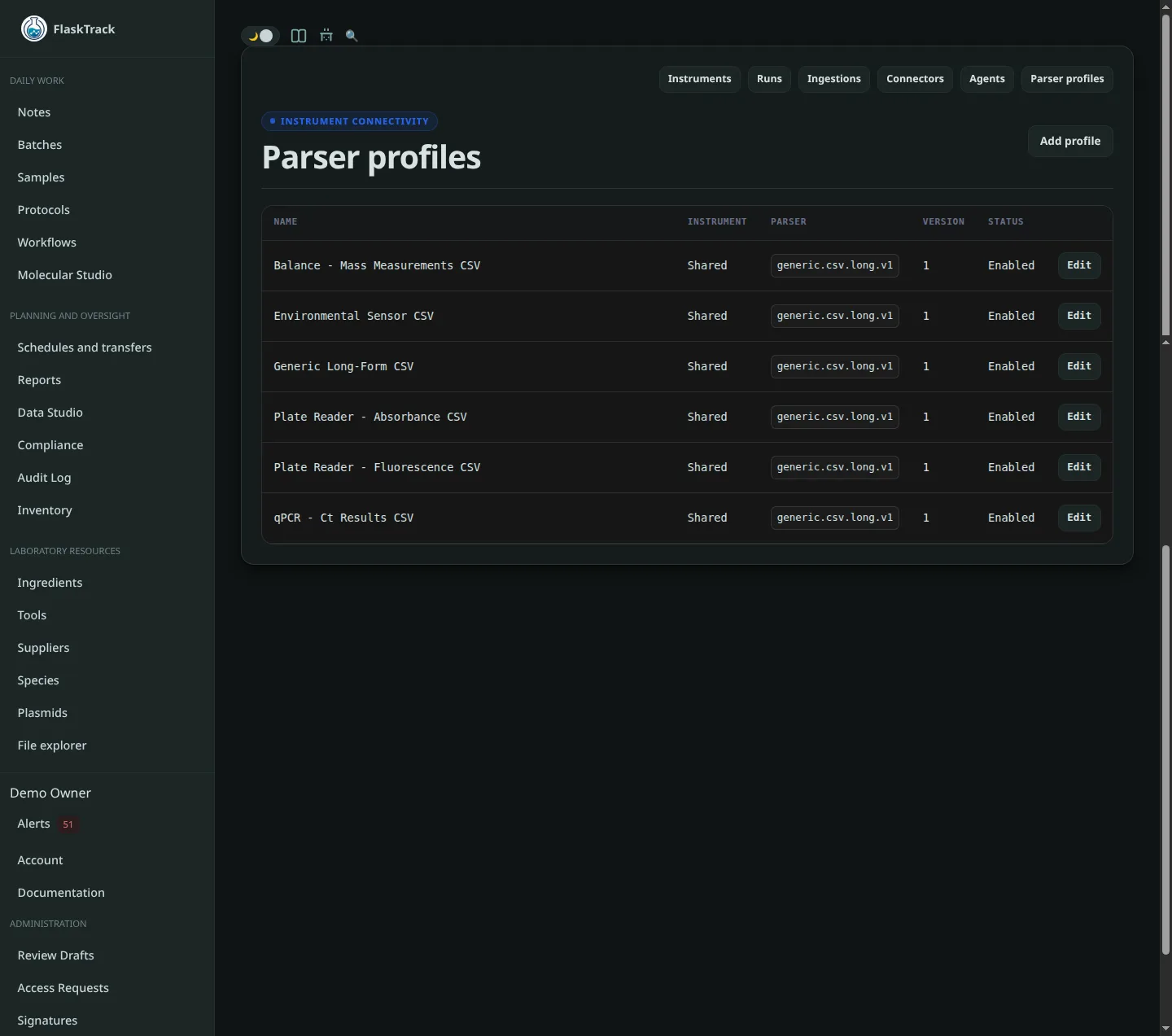
The connector answers where the data comes from. The parser profile answers how FlaskTrack interprets it.
What a parser produces
Depending on the result format, parsing can create:
- an instrument run;
- run metadata;
- run positions such as wells or other source positions;
- scientific observations;
- numeric, text, boolean, timestamp, or structured JSON values;
- measurement units;
- channels or wavelengths;
- source sample identifiers;
- plate barcodes or well names when present in the input.
Parser profile fields
A parser profile contains:
- optional instrument assignment;
- profile name;
- parser key;
- parser version;
- enabled state;
- configuration JSON;
- mapping-rules JSON.
Parser key and version
Parser keys and versions are exact identifiers.
Example:
Use the parser key documented for the instrument export format in your FlaskTrack deployment. A file that looks like CSV is not necessarily compatible with every CSV parser; column names, layout, delimiters, and metadata conventions still matter.
Instrument-specific profiles
A profile can be assigned to a specific instrument or be available more generally, depending on your configuration.
Use an instrument-specific profile when:
- the export layout is unique to that device;
- column mapping differs from similar instruments;
- units or channels need device-specific interpretation;
- the instrument requires custom mapping rules.
Configuration JSON
Configuration JSON changes parser behavior without changing the source artifact.
The supported keys depend on the selected parser implementation. Do not add arbitrary configuration values unless they are documented for that parser.
Example shape:
This example is illustrative; the parser in your deployment determines which keys are actually used.
Mapping rules JSON
Mapping rules can provide parser-specific instructions for turning source fields into FlaskTrack fields.
The exact structure depends on the parser. Keep mapping rules version-controlled through your normal FlaskTrack change process when they affect scientific interpretation.
Selecting a parser from a connector
A connector can provide its parser key and parser version. When an artifact is received, FlaskTrack uses that configuration to choose how the worker should parse the artifact.
Where a compatible parser profile is available, ingestion details can show the selected parser profile and parser identity.
Changing a parser after an ingestion
Administrators can inspect an ingestion and, where the ingestion state permits it, select a compatible parser and retry processing.
Reprocessing a run that has already been mapped or entered controlled review may be restricted. FlaskTrack prevents parser output from silently replacing a review-controlled instrument run.
Recommended validation process
Before using a parser on production instrument data:
- collect representative files from the instrument;
- include normal, boundary, and known-failure examples;
- verify position counts;
- verify observation names and units;
- verify numeric values against the source artifact;
- verify timestamps and instrument metadata;
- verify source sample identifiers and plate/well identities;
- confirm invalid files fail safely rather than producing plausible but incorrect results;
- document the parser key and version used for the validated workflow.
Parser changes
Treat changes to parser configuration or parser version as changes to the data pipeline. Review the effect on downstream runs, mappings, reports, and regulated workflows before changing a production profile.