Instrument ingestions and processing
An instrument ingestion is FlaskTrack's record of an artifact entering the instrument processing pipeline.
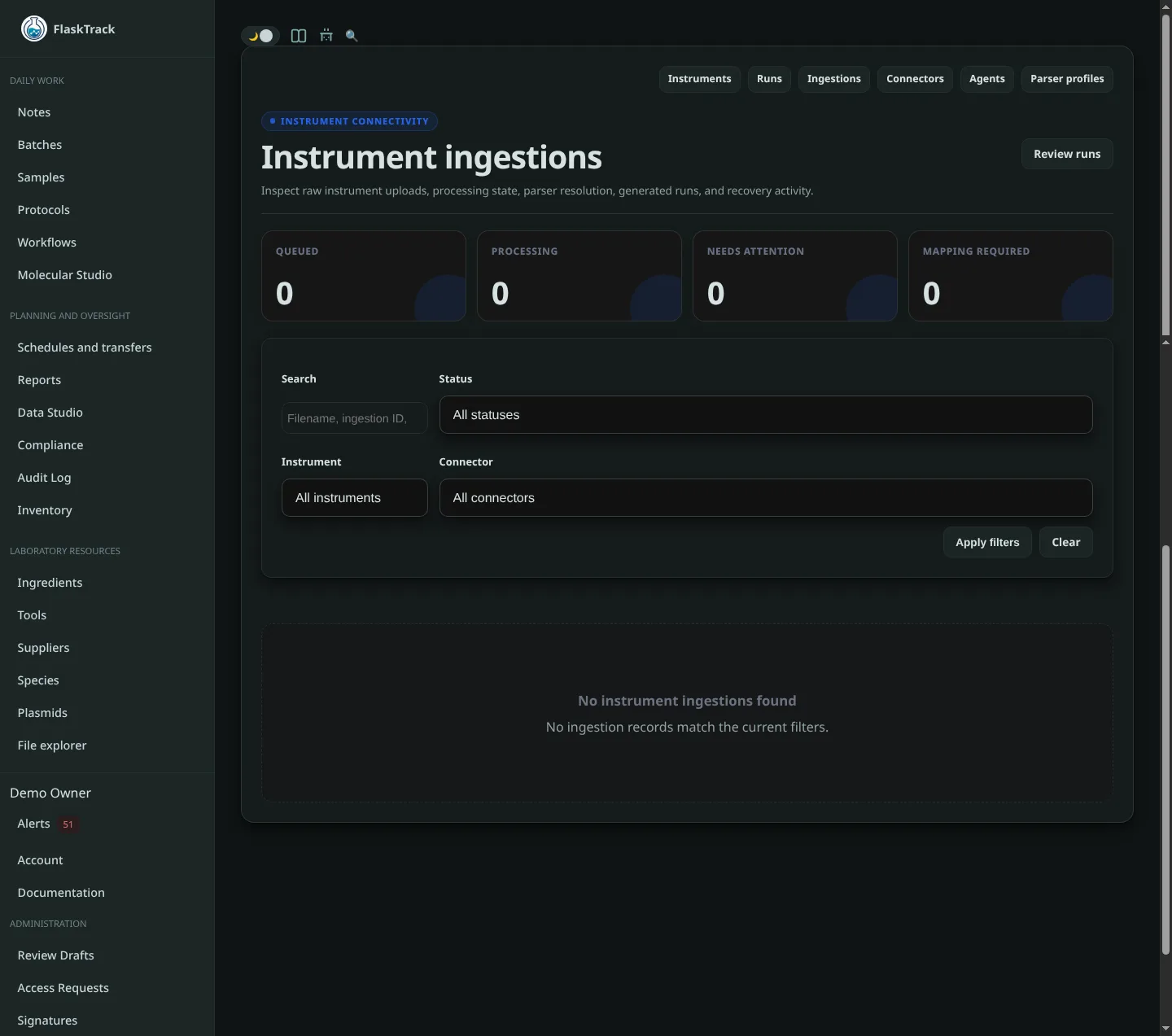
It connects the original source data to its connector, agent, instrument, parser, processing attempts, and resulting run.
What is recorded
An ingestion can include:
- instrument;
- connector;
- Instrument Agent;
- parser profile;
- parser key and version;
- source filename;
- source content type;
- source size;
- SHA-256 fingerprint;
- idempotency key;
- source metadata;
- processing attempts;
- raw and derived artifacts;
- resulting instrument runs;
- processing errors.
Ingestion states
FlaskTrack defines these ingestion states:
| Status | Meaning |
|---|---|
| Received | FlaskTrack has received the source data. |
| Deduplicated | The submission matched an existing idempotent ingestion. |
| Queued | The artifact is waiting for the instrument processing worker. |
| Parsing | A worker is currently processing the artifact. |
| Parsed | Parsing produced a structured result. |
| Mapping required | The result needs operator mapping before the pipeline can continue. |
| Completed | Processing completed successfully. |
| Failed | Processing failed and requires attention or retry. |
| Quarantined | Processing has been intentionally held from the normal queue. |
Not every ingestion necessarily displays every intermediate status.
View ingestions
Open Instrument Ingestions to see recent pipeline activity.
The page supports filtering by:
- status;
- instrument;
- connector;
- search text.
Search can be used to locate records by values such as source filename, idempotency key, checksum prefix, or ingestion ID.
Summary counts highlight:
- queued work;
- actively parsing work;
- failed or quarantined records requiring attention;
- records requiring mapping.
View ingestion details
Open an ingestion to inspect:
- the original artifact information;
- parser selection;
- each processing attempt;
- generated or attached artifacts;
- any resulting instrument run;
- errors recorded by the worker.
This is the first place to investigate when an expected instrument run is missing.
Raw artifact preservation
Agent uploads include the original source artifact. FlaskTrack records its size and SHA-256 fingerprint as part of the ingestion pipeline.
The raw artifact is distinct from the parsed run. Parsing does not replace the source file.
Idempotency
The Instrument Agent sends an idempotency key with each upload. FlaskTrack uses it to prevent the same logical artifact from being processed as a new ingestion repeatedly.
The agent also keeps local fingerprints so an unchanged source file is not submitted during every polling interval.
Processing attempts
The processing worker records attempts separately from the ingestion itself. This lets administrators distinguish a source artifact from individual parse or retry attempts.
Temporary failures may be retried according to the configured worker behavior.
Retry a failed ingestion
When a failure is correctable:
- open the failed ingestion;
- inspect the error and attempt details;
- correct the parser profile, connector configuration, or source problem as appropriate;
- select a compatible parser if necessary;
- request retry.
Retrying does not require resubmitting the original instrument file when FlaskTrack still has the source artifact.
Quarantine
Quarantine an ingestion when it should not continue through normal automated processing.
Typical reasons include:
- suspected corrupt source data;
- incorrect instrument assignment;
- unexpected export format;
- parser behavior requiring investigation;
- a laboratory change-control or quality hold.
A quarantined ingestion can be investigated without allowing the normal worker flow to continue.
Release from quarantine
After the issue has been reviewed and corrected, an administrator can release an eligible ingestion from quarantine so it can return to normal processing.
Failed versus mapping required
These states mean different things:
Failed means FlaskTrack could not successfully complete the processing operation.
Mapping required means parsing succeeded, but FlaskTrack cannot safely associate one or more positions with the correct controlled FlaskTrack records without operator input.
For mapping, open the resulting run rather than retrying the ingestion.
Downloading an ingestion artifact
Where your permissions allow it, ingestion details provide access to the preserved artifact associated with the ingestion. Use this when comparing parsed values against the original instrument output.
When to contact an administrator
Escalate when:
- the same parser fails repeatedly on known-good source files;
- checksum or file-size information differs from the expected source artifact;
- an ingestion repeatedly returns to Failed after retry;
- the raw artifact is missing;
- a mapped or review-controlled run appears to require reprocessing;
- the agent reports successful upload but no ingestion is visible to the expected organization.