Compliance Management
Compliance in FlaskTrack allows laboratories to define regulatory requirements once and have them automatically enforced throughout laboratory operations.
Instead of relying on manual interpretation of regulations, FlaskTrack evaluates every sample, batch, workflow, protocol, and operational record against the organization's configured compliance policies.
Overview
The compliance engine is built from six concepts.
Framework
↓
Compliance Levels
↓
Regulatory Tags
↓
Authorization Rules
↓
Applicability Scopes
↓
Compliance Checklists
Each layer builds upon the previous one to determine:
- Which regulations apply
- Who may perform regulated work
- What documentation is required
- Whether approvals are necessary
- Whether work must be blocked entirely
Compliance Frameworks
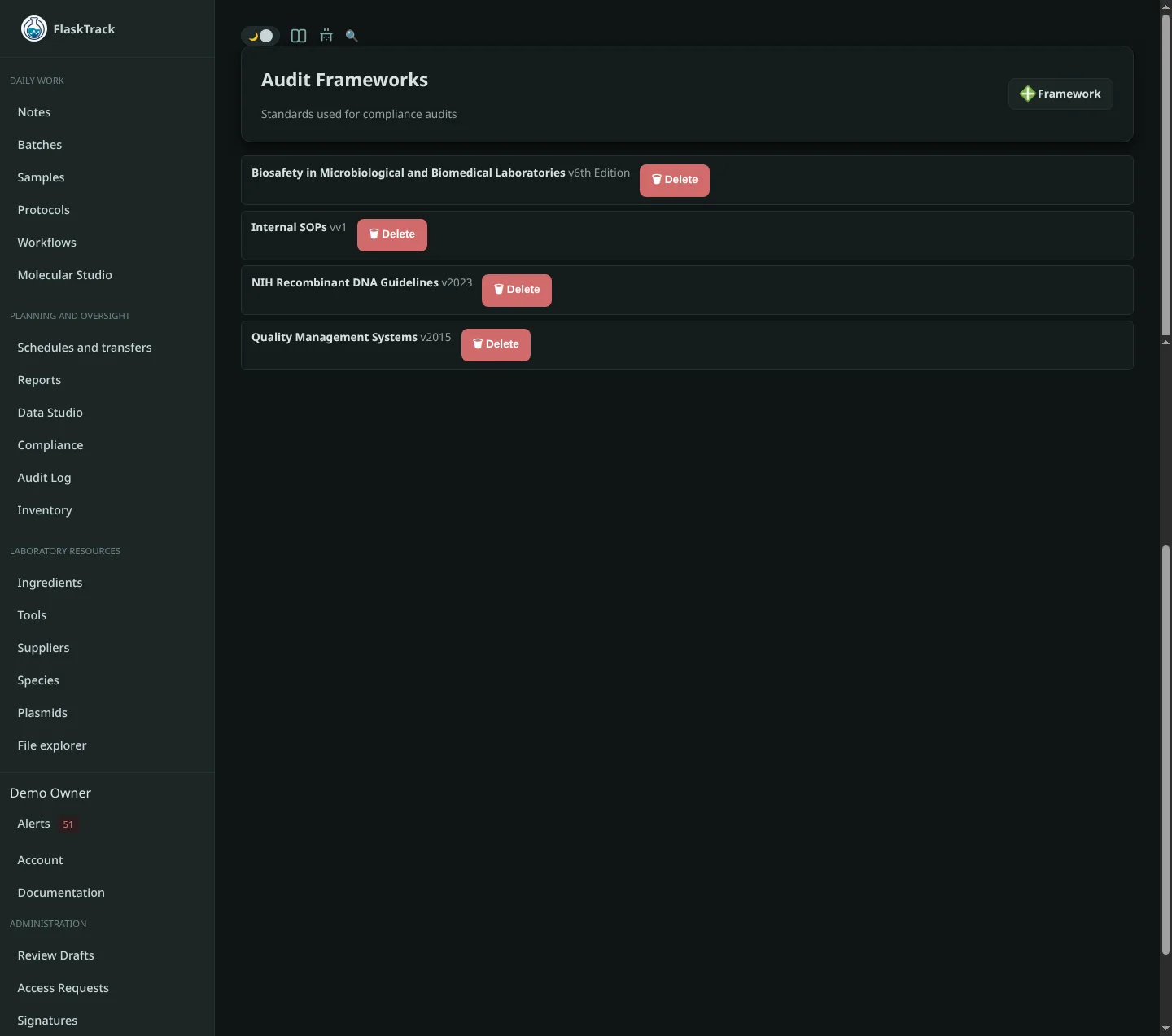
A Compliance Framework represents an external regulation or an internal organizational policy.
Examples include:
- Biosafety Manual
- NIH Recombinant DNA Guidelines
- ISO 9001
- ISO 17025
- Good Laboratory Practices (GLP)
- Internal Standard Operating Procedures
Frameworks define the overall compliance model for a particular regulation.
Each framework contains:
- Compliance Levels
- Authorization Rules
- Regulatory Tag Mappings
- Applicable Checklists
Frameworks do not directly control laboratory operations.
Instead, they provide the policy definitions used throughout the system.
Compliance Levels
Compliance Levels define the severity or operational significance of regulated work.
Examples might include:
- Low Risk
- Moderate Risk
- High Risk
- Restricted
- Critical
Compliance levels are entirely customizable.
A level may require:
- Additional training
- Manager approval
- Specialized facilities
- Additional documentation
The compliance engine evaluates the highest applicable level whenever multiple regulations apply.
Regulatory Tags
Regulatory Tags classify laboratory entities.
Tags describe the work being performed rather than the regulation itself.
Examples include:
- GMO
- Human Tissue
- Animal Tissue
- Plant Pathogen
- Human Pathogen
- Select Agent
- Controlled Substance
- Biosafety Level 2
- Biosafety Level 3
Tags may be attached to:
- Species
- Samples
- Batches
- Protocols
- Workflows
- Protocol Steps
- Batch Step Runs
- Sample Step Runs
- Files
- Notes
- Other supported laboratory entities
Tags automatically propagate through the laboratory where appropriate.
For example:
Workflow
↓
Batch
↓
Samples
↓
Protocol Execution
This prevents repeated manual classification.
Mapping Regulatory Tags
Regulatory Tags alone do not enforce compliance.
Each tag must be mapped into one or more Compliance Frameworks.
Example:
Tag:
GMO
Framework:
NIH Recombinant DNA
Compliance Level:
High
Another framework could map the same tag differently.
Tag:
GMO
Framework:
Internal SOP
Compliance Level:
Moderate
Multiple frameworks may apply simultaneously.
Authorization Rules
Authorization Rules determine whether work may proceed.
Rules evaluate:
- Entity Type
- Requested Action
- Compliance Level
Examples:
Samples
Read
Allowed
Samples
Update
Requires Approval
Samples
Delete
Blocked
Rules may produce one of three outcomes.
Allowed
The operation proceeds immediately.
Requires Approval
The operation requires approval from an authorized individual before continuing.
Blocked
The operation is prohibited.
Users cannot override blocked actions through the user interface.
Applicability Scopes
Not every checklist or authorization rule applies everywhere.
Scopes define where a rule becomes active.
Scopes may evaluate:
- Entity Type
- Laboratory Domain
- Protocol Action
- Required Regulatory Tags
- Optional Regulatory Tags
- Excluded Regulatory Tags
For example:
Entity:
Batch
Domain:
Tissue Culture
Required Tags:
GMO
Excluded Tags:
Archived
Only entities matching every requirement activate the associated compliance requirements.
Compliance Checklists
Checklists define the operational evidence required for compliance.
Examples:
- PPE Verification
- Sterility Confirmation
- Facility Inspection
- Chain of Custody
- Instrument Calibration
- Waste Disposal Verification
Checklist items become the laboratory's documented evidence during audits.
Reference Documents
Frameworks may include supporting documentation.
Examples:
- SOPs
- Regulatory Manuals
- ISO Standards
- Facility Policies
- Biosafety Manuals
- Risk Assessments
These documents provide supporting evidence during audits but do not directly control authorization.
Compliance Evaluation
Whenever a user performs an operation, FlaskTrack evaluates the entity.
The evaluation process is:
Load Regulatory Surface
↓
Resolve Framework Mappings
↓
Determine Highest Compliance Level
↓
Evaluate Authorization Rules
↓
Determine Applicable Checklists
↓
Return Final Decision
This occurs automatically throughout the application.
Regulatory Surface
A Regulatory Surface is the complete collection of regulatory tags affecting an entity.
A Batch may inherit tags from:
- Species
- Workflow
- Protocol
- Sample
- Batch
- Batch Step
- Protocol Step
The compliance engine combines all applicable tags before evaluating policies.
This prevents accidental omission of inherited regulatory requirements.
Multiple Frameworks
Laboratories often operate under multiple regulatory standards simultaneously.
For example:
NIH Guidelines
+
BMBL
+
Internal SOP
+
ISO 9001
FlaskTrack evaluates every applicable framework independently before combining the results.
The most restrictive applicable authorization always takes precedence.
Approval Workflow
Some work requires management approval before continuing.
When a rule requires approval:
- User initiates the operation.
- FlaskTrack pauses execution.
- Authorized personnel review the request.
- Approval or rejection is recorded.
- Audit records are generated automatically.
Audit Evidence
Every compliance decision is fully traceable.
Audit history records:
- Regulatory classifications
- Applicable frameworks
- Compliance levels
- Authorization decisions
- Required approvals
- Checklist completion
- User performing the action
- Timestamp
- Supporting documentation
System Policies
The System Policies page provides a read-only explanation of how your compliance system is configured.
It displays:
- Frameworks
- Compliance Levels
- Regulatory Tag Mappings
- Authorization Rules
- Applicability Scopes
- Attached Checklists
This view is intended for administrators, auditors, and quality managers who need to understand why a compliance decision was made.
Compliance Dashboard
The Compliance Dashboard provides the operational overview of your organization's compliance program.
From the dashboard you can:
- Configure Compliance Frameworks
- Manage Compliance Checklists
- Record Compliance Events
- Conduct Audits
- Upload Reference Documentation
- Review Effective Policies
It serves as the central location for managing laboratory compliance.
Best Practices
For most organizations, the recommended implementation order is:
- Create Compliance Frameworks.
- Define Compliance Levels.
- Map Regulatory Tags.
- Configure Authorization Rules.
- Define Applicability Scopes.
- Create Compliance Checklists.
- Upload Reference Documents.
- Review the System Policies page.
- Test compliance using representative laboratory records.
- Begin recording compliance events and audits.
Following this order results in a clear, maintainable compliance program that can evolve alongside your laboratory while remaining fully auditable.