Runs and History
Each time you execute a published pipeline, FlaskTrack creates a new Run.
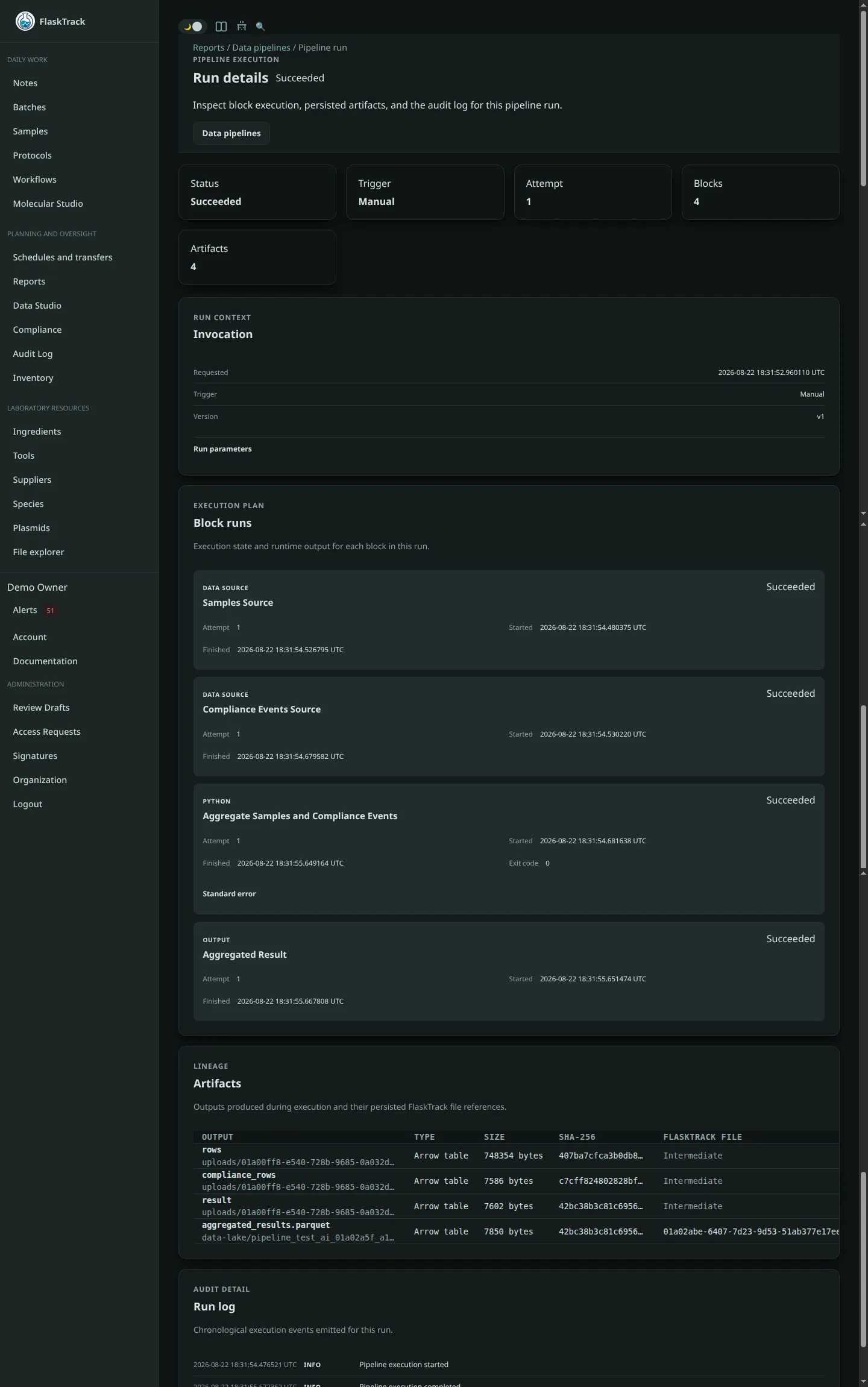
The run page shows what happened during that specific execution.
Run status
A run moves through these main states:
Block status
Each block also has its own status.
You may see:
- Pending
- Running
- Succeeded
- Failed
- Cancelled
- Timed Out
- Skipped
This makes it easier to identify exactly where a pipeline stopped.
Example:
In this case, inspect the R block first.
Logs
Python and R blocks can write messages to the run log.
Python:
R:
Use logs to record useful processing information, such as:
- number of rows processed;
- filters applied;
- samples excluded;
- QC thresholds;
- warning conditions;
- calculated summary values.
Example:
stdout and stderr
If a Python or R block fails, the run may also show captured output from the process.
This can help diagnose:
- Python exceptions;
- R errors;
- missing columns;
- type mismatches;
- package problems;
- file parsing errors.
Artifacts
Artifacts are results produced while a pipeline runs.
Examples:
- Arrow tables;
- JSON;
- Parquet files;
- CSV files;
- images.
A downstream block can consume an upstream artifact.
Example:
Final files
If the graph reaches an Output block successfully, the configured result becomes a normal FlaskTrack organization file.
The run remains linked to that output.
This gives you a path from the final file back to:
- the run;
- the published pipeline version;
- the producing blocks;
- the script definitions;
- the upstream artifacts.
Re-running a pipeline
Running the same published version again creates a new run.
Example:
This is useful when the underlying source data changes over time.
Cancelling a run
If a run is still active, you can request cancellation.
FlaskTrack stops further pipeline progress at a safe execution boundary.
A block that has already completed remains part of that run's history.
Failed runs
A failed run remains available for review.
After fixing the pipeline or the underlying data:
- create/publish a corrected version if the pipeline itself changed;
- start a new run.
Do not treat a failed historical run as though it succeeded later. The retry should be a new execution record.