icon file Flask Track Docs

Notes

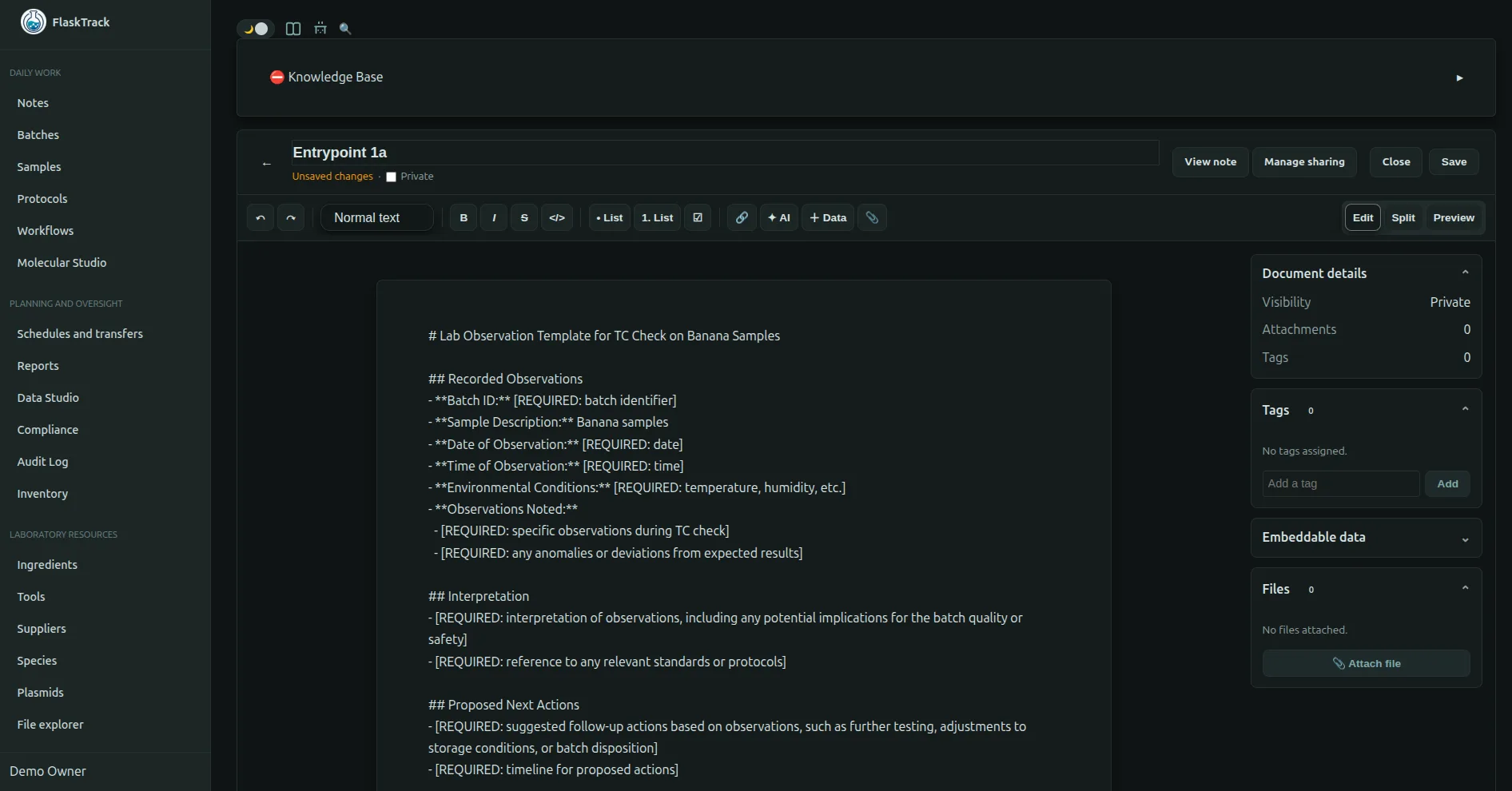
FlaskTrack Notes provide a centralized knowledge management system for capturing observations, procedures, research findings, troubleshooting information, meeting summaries, and institutional knowledge.

Notes support rich Markdown formatting, file attachments, visibility controls, tagging, search, and optional indexing into the FlaskTrack Knowledge Base for use by AI-powered assistants.


Overview

Notes allow users to document information that may not belong directly to a protocol, workflow, batch, sample, or compliance record.

Common use cases include:

Notes can be linked to operational activities while remaining searchable and reportable across the organization.


Creating Notes

Users can create notes from the Notes section or from related records throughout FlaskTrack.

Each note may contain:

Once saved, notes become searchable and available according to their visibility permissions.


Markdown Support

Notes support Markdown formatting, allowing users to create rich, structured documentation.

Supported formatting includes:

Headings

# Heading 1
## Heading 2
### Heading 3

Lists

- Item One
- Item Two
- Item Three

Numbered Lists

1. Step One
2. Step Two
3. Step Three
[Protocol Documentation](https://example.com)

Code Blocks

```python
print("Hello World")
```

Tables

| Sample | Status |
|----------|----------|
| A001 | Complete |
| A002 | Pending |

Markdown enables notes to function as living documentation within the organization.


File Attachments

Notes may include file attachments that provide supporting documentation.

Common attachment types include:

Attachments remain associated with the note and can be accessed by authorized users.

Examples:

Attachments help preserve context alongside written observations.


Visibility Controls

Each note includes a visibility setting that determines who may view its contents.

Private Notes

Private notes are visible only to the note creator.

Use private notes for:

Private notes do not appear in organization-wide searches for other users.


Organization Notes

Organization notes are visible to authorized users within the organization.

Use organization notes for:

Organization notes support collaboration and institutional knowledge retention.


Tags

Notes may be assigned one or more tags to improve organization and discoverability.

Examples:

Tags can be used when filtering or searching notes.

A note may belong to multiple categories simultaneously.


Searching Notes

FlaskTrack provides powerful search capabilities across notes.

Users can search by:

Search results help users quickly locate institutional knowledge and historical documentation.


Knowledge Base Indexing

Notes can optionally be indexed into the FlaskTrack Knowledge Base.

When enabled, note content becomes available to AI-powered assistants and semantic search systems.

Knowledge Base indexing allows AI tools to answer questions using approved organizational knowledge.


AI Knowledge Base

The FlaskTrack Knowledge Base is designed to make organizational knowledge discoverable through AI-assisted workflows.

Indexed notes may be used by:

This allows users to retrieve information without manually locating individual documents.

Example:

Instead of searching through dozens of procedures, a user may ask:

"What is our standard contamination response process?"

The AI assistant can retrieve relevant indexed notes and provide guidance.


Controlling AI Visibility

Knowledge Base indexing is optional.

When creating or editing a note, users may choose whether the note should be indexed.

Indexed Notes

Indexed notes:

Non-Indexed Notes

Non-indexed notes:

This allows organizations to carefully control what information becomes part of their AI knowledge base.


Updating Notes

Notes can be updated as information changes.

Updates preserve the most current version of organizational knowledge while maintaining accountability for changes.

Organizations should periodically review:

to ensure information remains accurate.


Notes as Institutional Memory

Over time, Notes become a valuable organizational knowledge repository.

Benefits include:

Rather than relying on individual team members, knowledge remains accessible to the organization.


Security & Permissions

Visibility settings are always respected.

Private notes remain private.

Organization notes remain restricted to authorized organizational users.

Knowledge Base indexing does not override existing permission controls.

Only content that users are authorized to access may be surfaced by AI assistants.


Best Practices


Related Features