AI action plans
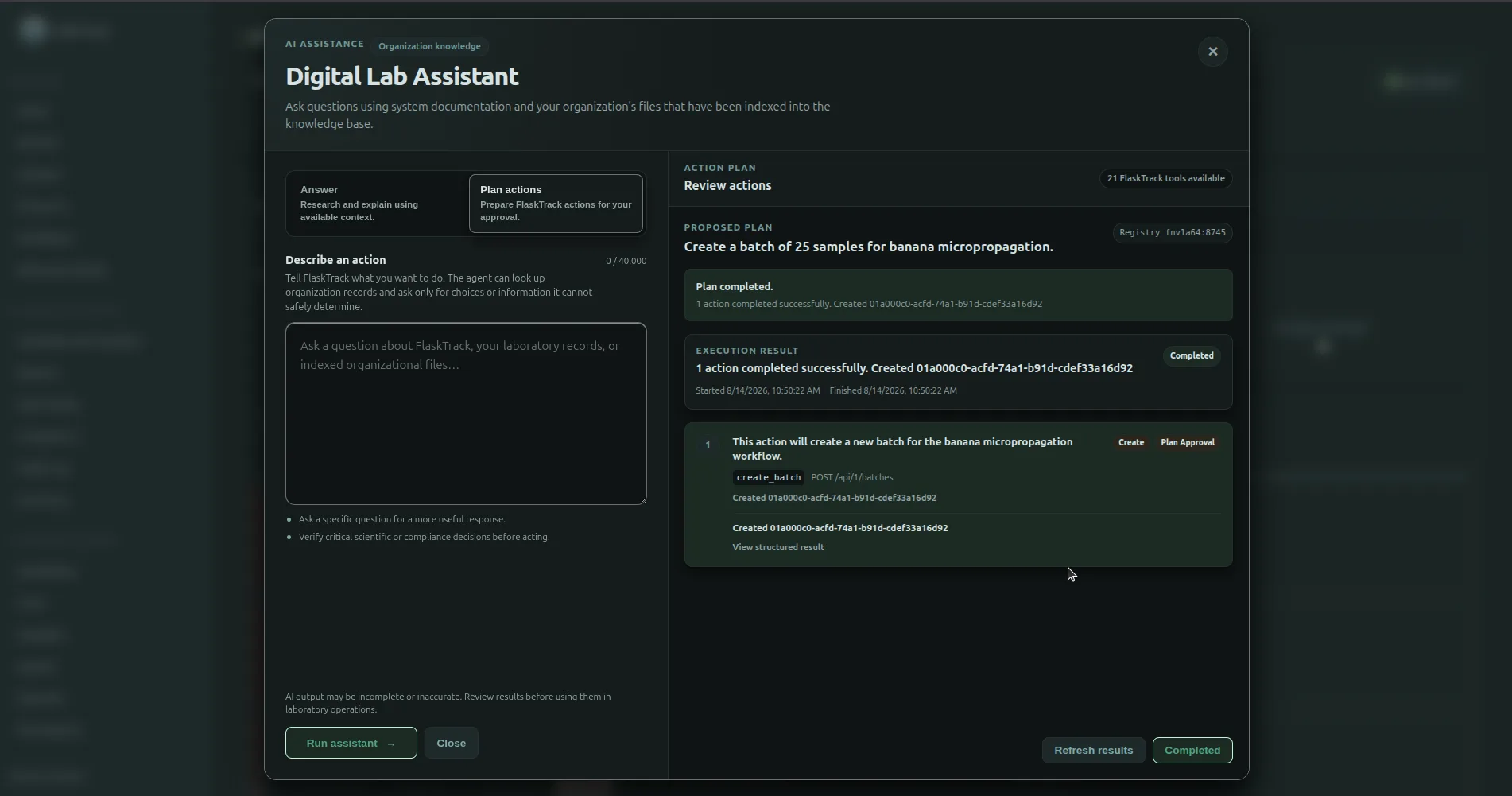
AI action plans let you describe a laboratory operation in normal language while preserving FlaskTrack's normal review, permission, validation, and execution controls.
Planning lifecycle
flowchart TD
    A[Describe the requested operation] --> B[Discover tools and relevant records]
    B --> C{Is real user input still required?}
    C -- Yes --> D[Ask for clarification]
    D --> B
    C -- No --> E[Prepare typed action plan]
    E --> F[Show proposed actions]
    F --> G{Approve?}
    G -- No --> H[Discard plan]
    G -- Yes --> I[Execute ordered steps]
    I --> J[Show execution results]
Before execution
A prepared plan is a proposal.
The plan surface shows:
- a summary of the requested operation;
- the ordered action steps;
- the FlaskTrack tool used for each action;
- the reason for the action;
- the inputs FlaskTrack intends to use;
- whether approval or additional controls apply.
The interface indicates that nothing has been executed yet.
Review the whole plan
Before selecting Approve & execute, verify that the complete plan matches your intent.
Pay particular attention to:
- workflow and protocol identity;
- species and catalog records;
- batch quantity;
- schedule dates and times;
- record names;
- action order;
- destructive, finalizing, or compliance-sensitive operations.
Use Discard plan when the proposal does not match the intended operation.
Dependent actions
A plan can contain an action that needs a record created by an earlier action.
Example:
Create a workflow called Banana Propagation using these protocols, then create a batch of 36 samples from that workflow.
The Batch needs the new Workflow ID, but that ID does not exist when the plan is first reviewed.
FlaskTrack represents that relationship as a controlled dependency:
During execution, FlaskTrack uses the authoritative ID returned by the successful earlier step.
You are not expected to provide the future ID manually.
If an earlier step fails
Dependent execution does not continue with an invented value.
If an earlier action fails, FlaskTrack can stop later dependent actions and report the failure.
This prevents a later operation from accidentally using:
- a placeholder;
- the wrong record;
- an unrelated UUID;
- a guessed replacement.
Existing records versus newly created records
FlaskTrack resolves these differently:
Existing record
The assistant uses permitted read tools and available context to identify the exact record.
Example:
Record created by this plan
The later action depends on the output of the earlier creation step.
Example:
The system should not search for the new workflow before it exists or ask you for its future ID.
Example: workflow followed by batch
Request:
Create a workflow called Tomato Transformation using Infection, Co-cultivation, Selection, and Regeneration in that order, then create a batch for 24 samples.
A successful planning sequence may be:
- resolve the four requested Protocol records;
- resolve any required Species record;
- ask you only about unresolved choices;
- propose Create Workflow;
- propose Create Batch linked to the Workflow created in step 4;
- wait for approval;
- create the Workflow;
- capture its returned ID;
- create the Batch with that concrete Workflow ID;
- report both results.
Approval is not a permission override
Approval of an AI plan does not grant new FlaskTrack authority.
At execution time, FlaskTrack still applies the authenticated user's permissions and the current state of the records.
A plan can therefore be valid when prepared but fail later if, for example:
- permissions changed;
- the target record changed state;
- another user archived or replaced a record;
- a compliance control now blocks the action;
- an electronic signature is required.
Electronic signatures
A general Approve & execute action is not a substitute for an electronic signature.
Operations that require signature-specific authorization remain subject to the applicable FlaskTrack signing flow.