Create a tool
A tool is a reusable catalog record for equipment, instruments, reusable apparatus, or disposable operational supplies that should be referenced consistently from protocols and inventory.
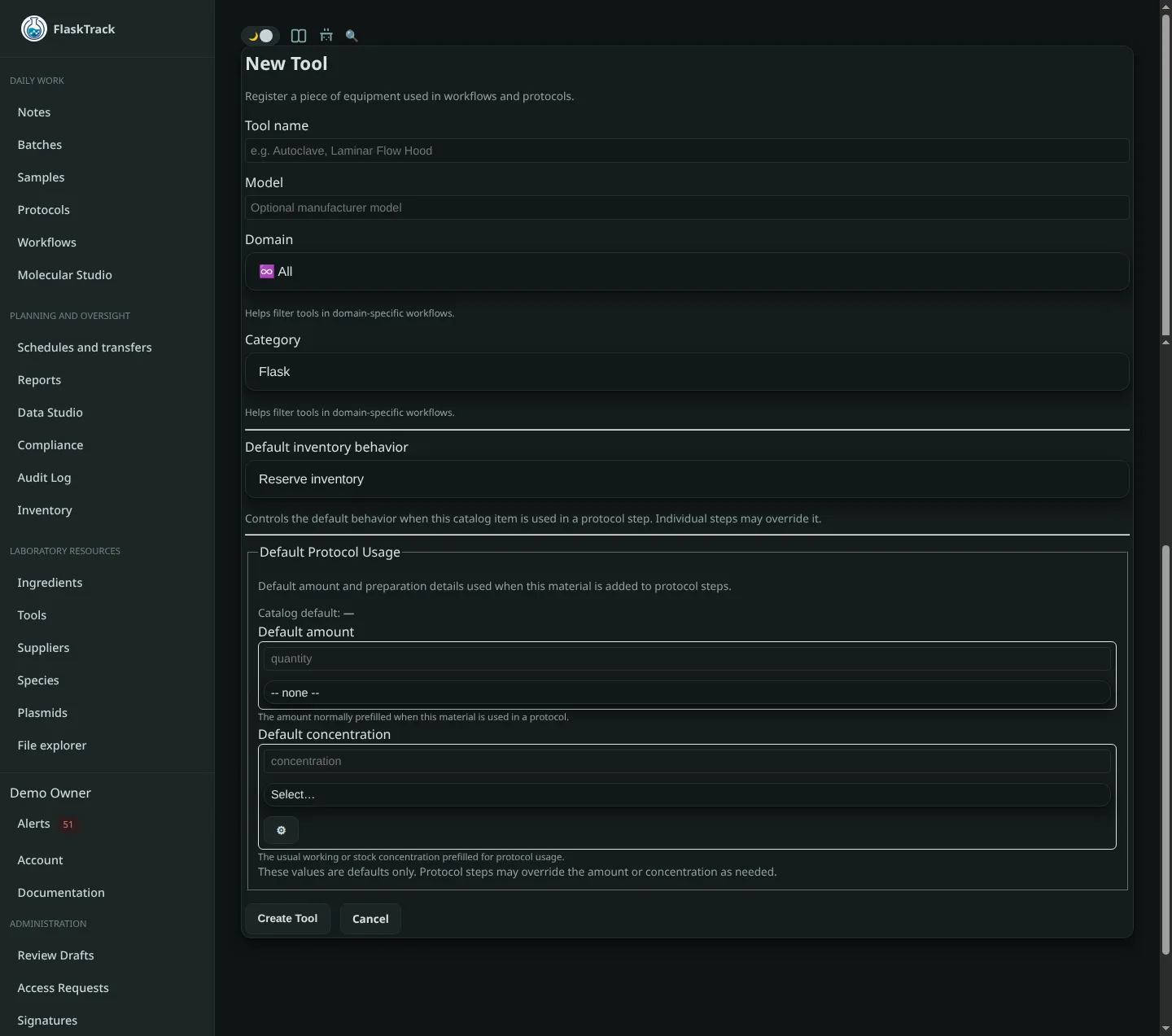
Create the record
- Open Tools and select New tool.
- Enter a clear name that operators will recognize.
- Select the applicable laboratory domain.
- Choose the default measurement unit when quantities are tracked.
- Add notes, identifiers, model information, or operating constraints.
- Save the tool and attach supporting files such as manuals, calibration certificates, or cleaning instructions.
Choose the inventory behavior
Select a default effect that matches the physical use:
- Consume for single-use items or quantities depleted by a step.
- Reserve for reusable equipment that must be available but is not depleted.
- None for reference-only records that should not affect inventory.
A protocol step can override the catalog default when a specific procedure uses the tool differently.
Add supplier and inventory information
Link one or more supplier items when the tool is purchased. For physical tracking, receive or create lots and assign them to inventory locations.
Use the tool in a protocol
Add the tool to a protocol step, specify the required quantity or reservation, and confirm the effective inventory behavior before approving the protocol version.
Review checklist
- The name is unambiguous.
- Units match the way the item is stocked and used.
- The default inventory effect is correct.
- Required documentation is attached.
- Supplier records and locations are configured when applicable.
- The record is approved before production use.