iGEM Registry integration
FlaskTrack connects Molecular Studio with the iGEM Registry of Standard Biological Parts. You can find community-curated parts, inspect their sequences and provenance, import them into your organization's biological-part library, and compare Registry sequences with plasmids or genetic constructs already in FlaskTrack.
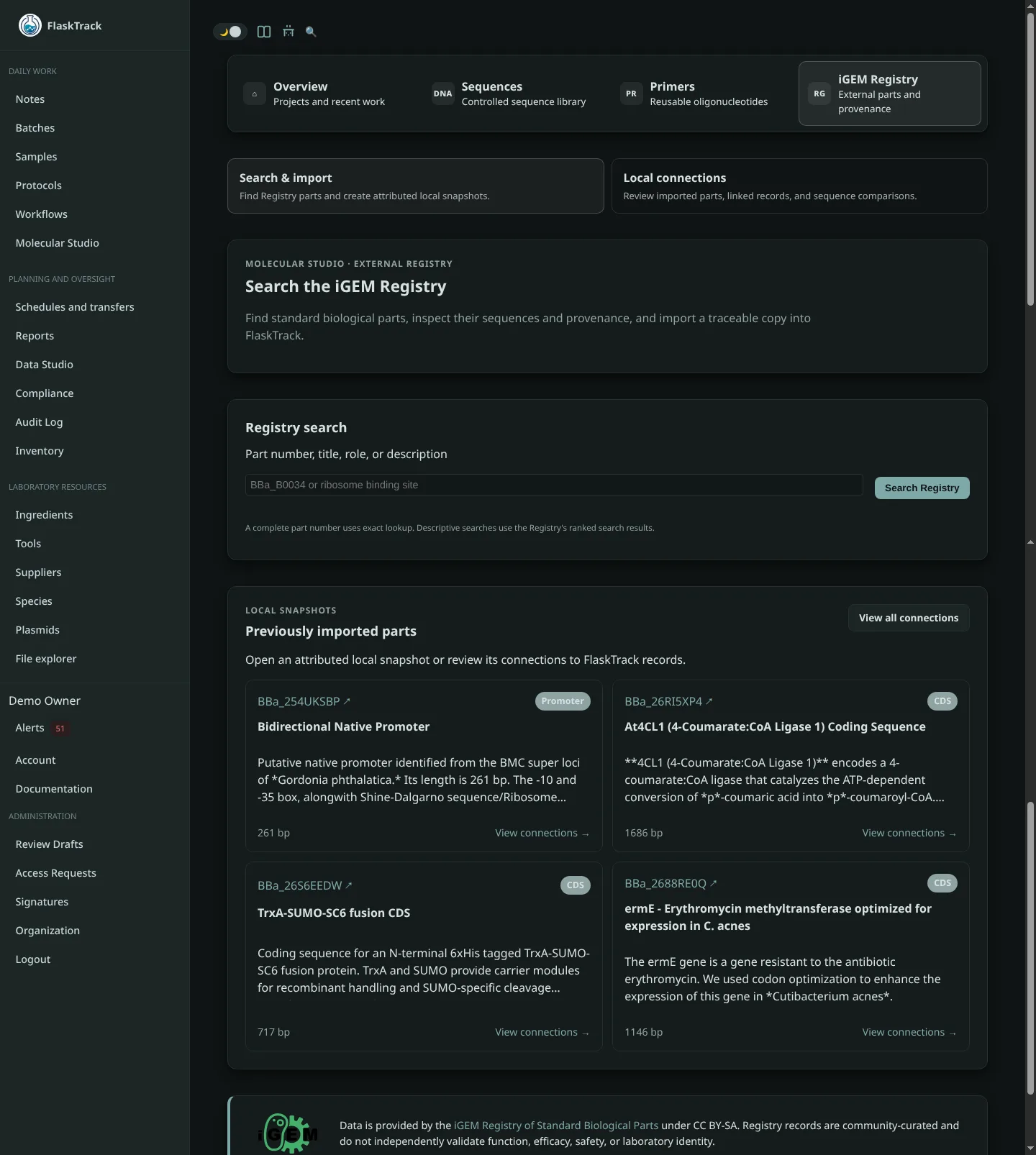
Use the integration to:
- search by Registry part number, title, biological role, or description;
- review the part sequence, authors, source, role, entry date, and available annotations before importing;
- preserve an attributed Registry snapshot with the imported part;
- compare a Registry sequence with a released plasmid sequence or the current version of a genetic construct;
- identify exact, reverse-complement, and circular-origin-equivalent matches;
- keep an auditable history of verification results; and
- refresh Registry metadata without replacing curated local information.
Where to find it
Open Molecular Studio, then select iGEM Registry. The Registry page has two main workflows:
- Search Registry — find, inspect, and import biological parts.
- Verify local sequences — compare FlaskTrack plasmids and constructs with a specific Registry part.
Your available actions depend on your organization permissions. Users with read access can search and inspect Registry records. Creating imported parts or recording verification results requires the corresponding create or update permission.
Recommended workflow
- Search for a Registry part.
- Review its sequence, authorship, source, and biological role.
- Import the part if your team plans to reference it in FlaskTrack.
- Create, import, or release your local sequence through the normal Molecular Studio workflow.
- Compare the local record with the Registry part.
- Review the result and preserve any physical verification evidence—such as a sequencing result—through your laboratory's established review process.
Sequence comparison is not physical verification
A Registry match shows that two digital sequences are equivalent under the comparison rules. It does not prove that a physical sample contains that sequence or that the part performs as described. Physical identity and biological function must be established through appropriate laboratory testing, sequencing, review, and approval.
In this section
- Search and import parts
- Verify plasmids and genetic constructs
- Understand verification results
- Refresh Registry metadata
- Troubleshooting
About Registry data
The iGEM Registry is an external, community-curated resource. FlaskTrack displays and stores Registry attribution with imported records, including the part number, authorship information, date of entry, and a link to the source record when available.
Registry content is provided under its applicable terms and attribution requirements. FlaskTrack does not imply sponsorship, partnership, or endorsement by the iGEM Foundation.