Data Pipelines
Data Pipelines let you turn FlaskTrack data into repeatable analysis and transformation workflows.
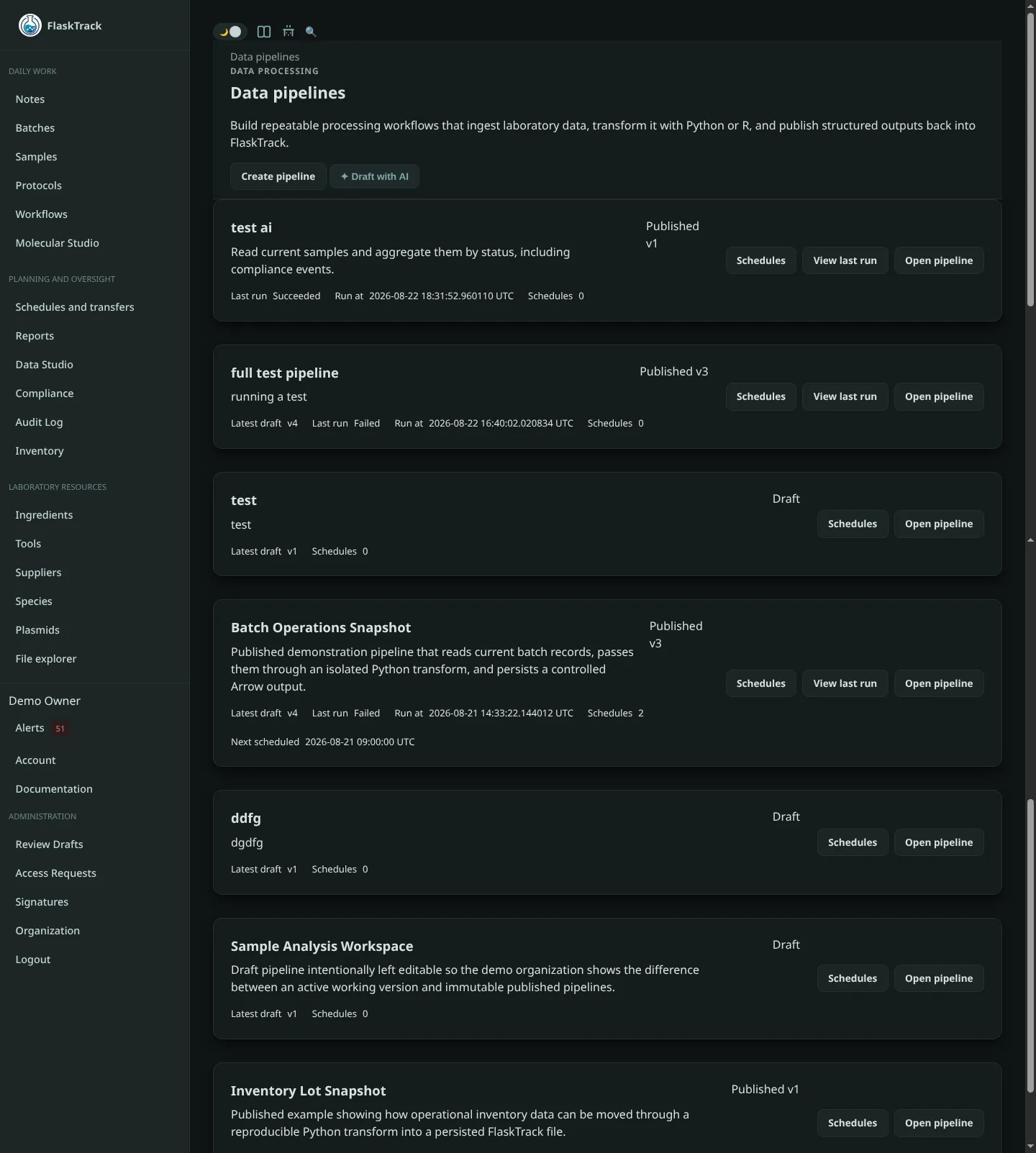
Use a pipeline when you want to take data from FlaskTrack, process it with Python or R, and save the result back into FlaskTrack without repeating the same steps manually each time.
A pipeline is built visually from connected blocks:
You can also build longer workflows:
What Data Pipelines are for
Data Pipelines are useful for tasks such as:
- cleaning instrument or laboratory result data;
- normalizing measurement tables;
- calculating derived values;
- preparing data for downstream analysis;
- generating QC summaries;
- converting Data Studio queries into repeatable workflows;
- processing FlaskTrack files;
- running Python or R analysis;
- saving processed results back into FlaskTrack.
Data Explorer or Data Pipeline?
FlaskTrack Data Studio includes both interactive reporting and repeatable pipelines.
Use Data Explorer when you want to:
- explore data;
- write or generate SQL;
- inspect a result;
- save a report;
- export data manually.
Use Data Pipelines when you want to:
- reuse the same analysis later;
- combine several processing steps;
- use Python or R;
- keep a versioned definition of the workflow;
- run the workflow again against new data;
- preserve the results and execution history.
The four block types
A pipeline is made from four kinds of blocks.
| Block | What it does |
|---|---|
| Data Source | Brings data into the pipeline. |
| Python | Processes data using Python. |
| R | Processes data using R. |
| Output | Saves a result back into FlaskTrack. |
Blocks are connected by named inputs and outputs.
For example:
Drafts and published versions
When you create a pipeline, FlaskTrack creates a Draft.
You can freely edit a draft:
- add blocks;
- remove blocks;
- move blocks;
- edit scripts;
- connect or disconnect blocks;
- change data sources;
- change output settings.
When the pipeline is ready, publish it.
A published version is locked so the exact workflow used for a run does not change later.
If you want to modify a published pipeline, create a new draft version.
Runs
A run is one execution of one published pipeline version.
Each run keeps its own:
- status;
- requested time;
- requesting user;
- block results;
- logs;
- generated artifacts;
- final output files.
Running the same published version twice creates two separate run records.
Where to start
If you are new to Data Pipelines, follow these pages in order:
For detailed behavior, see: