Inventory
Inventory connects FlaskTrack catalog definitions to physical stock, procurement, receiving, locations, and protocol execution.
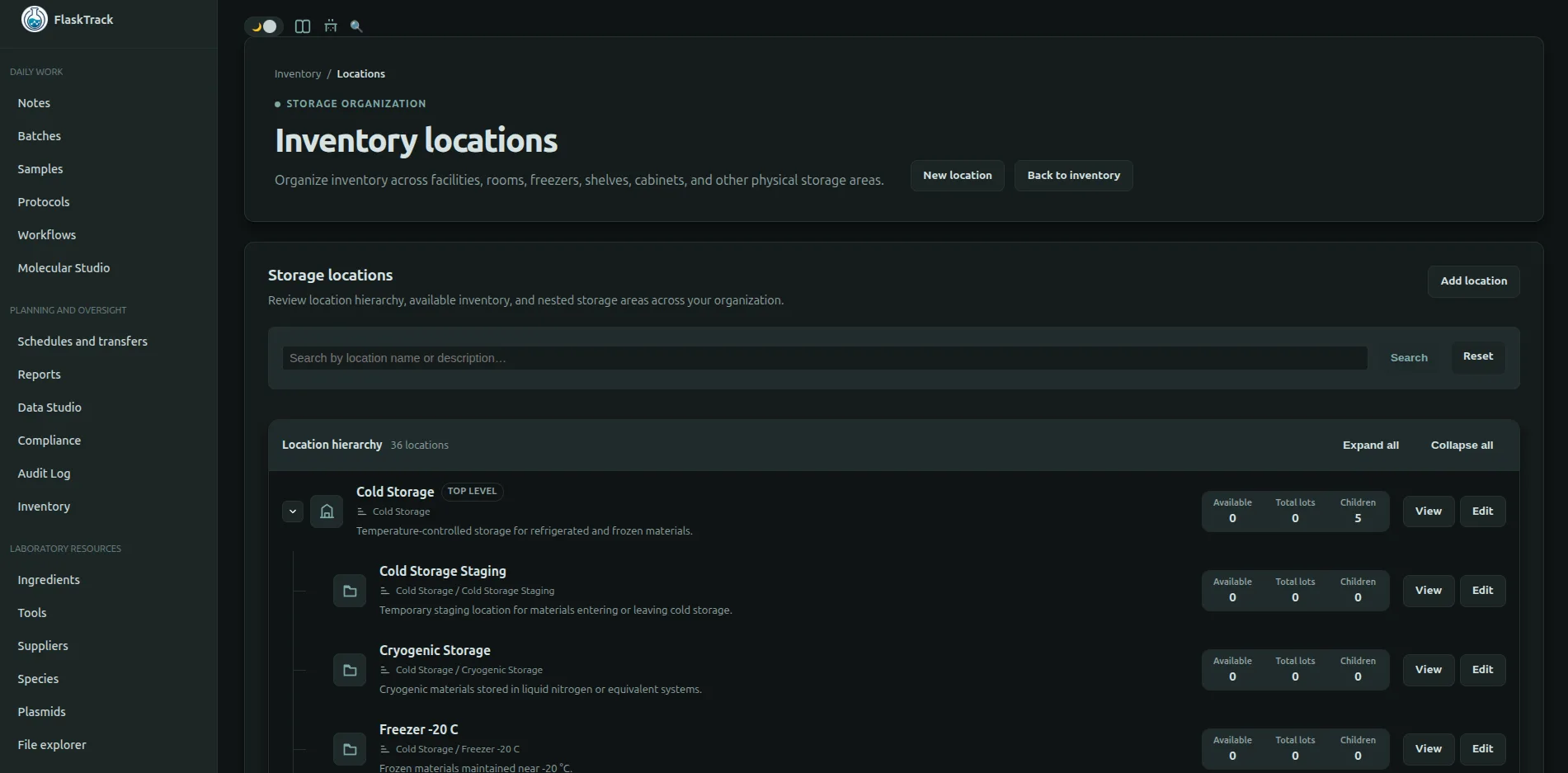
Navigate to the Inventory tab to begin exploring.
Inventory model
flowchart LR
    A[Catalog item] --> B[Supplier item]
    B --> C[Purchase]
    C --> D[Inventory lot]
    D --> E[Location]
    D --> F[Inventory transaction]
    G[Protocol requirement] --> F
Catalog item
A species, ingredient, tool, or plasmid defines what the item is. The catalog record can specify a default unit and inventory effect.
Supplier item
A supplier item defines how the item is purchased from a particular vendor, including catalog number, package size, price, currency, lead time, and preferred status.
Purchase
A purchase or purchase-order record tracks the ordering process. A purchase does not create available stock until material is received.
Inventory lot
A lot is a physical quantity with a unit, location, receipt source, lot identifier, expiration date, quarantine state, and transaction history.
Location
A location identifies where the lot is stored. Use a stable hierarchy such as site, room, freezer, rack, and box.
Transaction
A transaction records a quantity change such as receipt, manual adjustment, protocol consumption, or another supported movement.
Quantities and units
FlaskTrack stores the displayed quantity and uses supported unit conversion when evaluating requirements and deductions. Configure the catalog, supplier package, lot, and protocol requirement with compatible units.
Concentration can affect calculated consumption. Test representative calculations before approving a protocol that uses concentration-dependent requirements.
Inventory effects
Consume
Use Consume for material depleted by successful step completion, such as reagents, media, disposable tips, DNA aliquots, or single-use filters.
Reserve
Use Reserve when availability matters but the item is not depleted, such as a centrifuge, incubator, reusable flask, or parent culture used without transfer of ownership.
None
Use None for reference-only catalog relationships that should not change inventory.
Catalog defaults and step overrides
The catalog item provides the normal inventory behavior. A protocol step can override it when a particular procedure uses the item differently.
Before approving a protocol, review the effective behavior for every required resource. An incorrectly configured default or override can prevent completion or produce an incorrect deduction.
Availability and lot selection
Availability considers eligible lots, quantity, unit compatibility, expiration, quarantine, and other configured restrictions. When several lots are eligible, the interface may propose a lot according to expiration or configured ordering.
The operator remains responsible for confirming that the selected lot is scientifically and procedurally appropriate.
Procurement readiness
Batch and sample procurement compares calculated requirements with available stock and configured supplier items.
| Status | Meaning |
|---|---|
| Inventory ready | Eligible available stock covers the requirement. |
| Shortfall | Additional quantity is required. |
| Supplier configuration required | No usable supplier item is configured. |
| No priced item | A supplier option exists but an automatic cost cannot be calculated. |
See Procurement planning for the purchase workflow.
Receive a purchase
- Open the purchase record.
- Confirm the delivered catalog and supplier item.
- Enter the actual received quantity and unit.
- Record vendor lot or serial information.
- Select the receiving location.
- Enter expiration, quarantine, and notes as required.
- Save and verify the new inventory lot and receipt transaction.
Record partial delivery or discrepancies accurately. Do not receive the ordered quantity when the physical delivery differs.
Manual adjustments
Use adjustments for approved corrections, counts, waste, transfers, or other supported reasons. Enter a factual reason and attach evidence when required.
Do not use an adjustment to hide an unexplained discrepancy. Create a compliance event or investigation when organizational procedure requires one.
Expired and quarantined stock
Expired or quarantined lots should not be considered normally available. Review dates, quarantine status, and storage location before step completion.
Release from quarantine or use after expiration must follow organization procedure and any required approval.
Step completion
A consuming or reserving transaction is created only after the step completion succeeds. After a timeout or error, refresh the step and inventory history before retrying so the operator does not assume the wrong result.
Permissions and audit
Viewing inventory, creating purchases, receiving stock, adjusting lots, managing locations, and executing consuming steps require the relevant role and action permission. Receipts, adjustments, and execution-driven transactions are associated with audit and operational context where implemented.
Recommended setup
- Create accurate catalog items.
- Set default units and inventory effects.
- Create suppliers and supplier items.
- Create inventory locations.
- Receive or create starting lots.
- Configure protocol requirements and step overrides.
- Test unit conversion and consumption.
- Review procurement readiness.
- Execute a pilot batch and reconcile transactions.
Troubleshooting
A requirement does not deduct stock
Confirm the effective inventory effect is Consume, the step completed successfully, the requirement references the intended catalog item, and the quantity can be converted to the lot unit.
Insufficient inventory
Check eligible lots, quarantine, expiration, location, unit compatibility, concentration, and the calculated requirement. Receive or adjust stock only when supported by physical evidence.
Unexpected quantity
Review package unit, lot unit, protocol quantity, concentration, and conversion. Correct the controlled source configuration rather than compensating with repeated manual adjustments.
Location cannot be removed
Move or close active lots and preserve historical dependencies. Retire the location when deletion would break inventory history.