icon file Flask Track Docs

Create a Compliance Checklist

Compliance checklists define the evidence, confirmations, and documentation required to satisfy an audit framework.

Unlike audit frameworks, which define overall compliance policy, a checklist represents a concrete set of requirements that users must complete during laboratory operations.

A checklist may require operators to:

Checklists become enforceable only after they are attached to an audit framework and scoped appropriately.


Compliance Architecture

flowchart TB

    Framework["Audit Framework"]

    Framework --> Checklist["Compliance Checklist"]

    Checklist --> Items["Checklist Items"]
    Checklist --> Documents["Reference Documents"]

    Checklist --> Scope["Scope Rules"]

    Scope --> Enforcement["Laboratory Execution"]

A checklist is one component of an audit framework.

Frameworks determine when a checklist applies, while the checklist defines what must be completed.


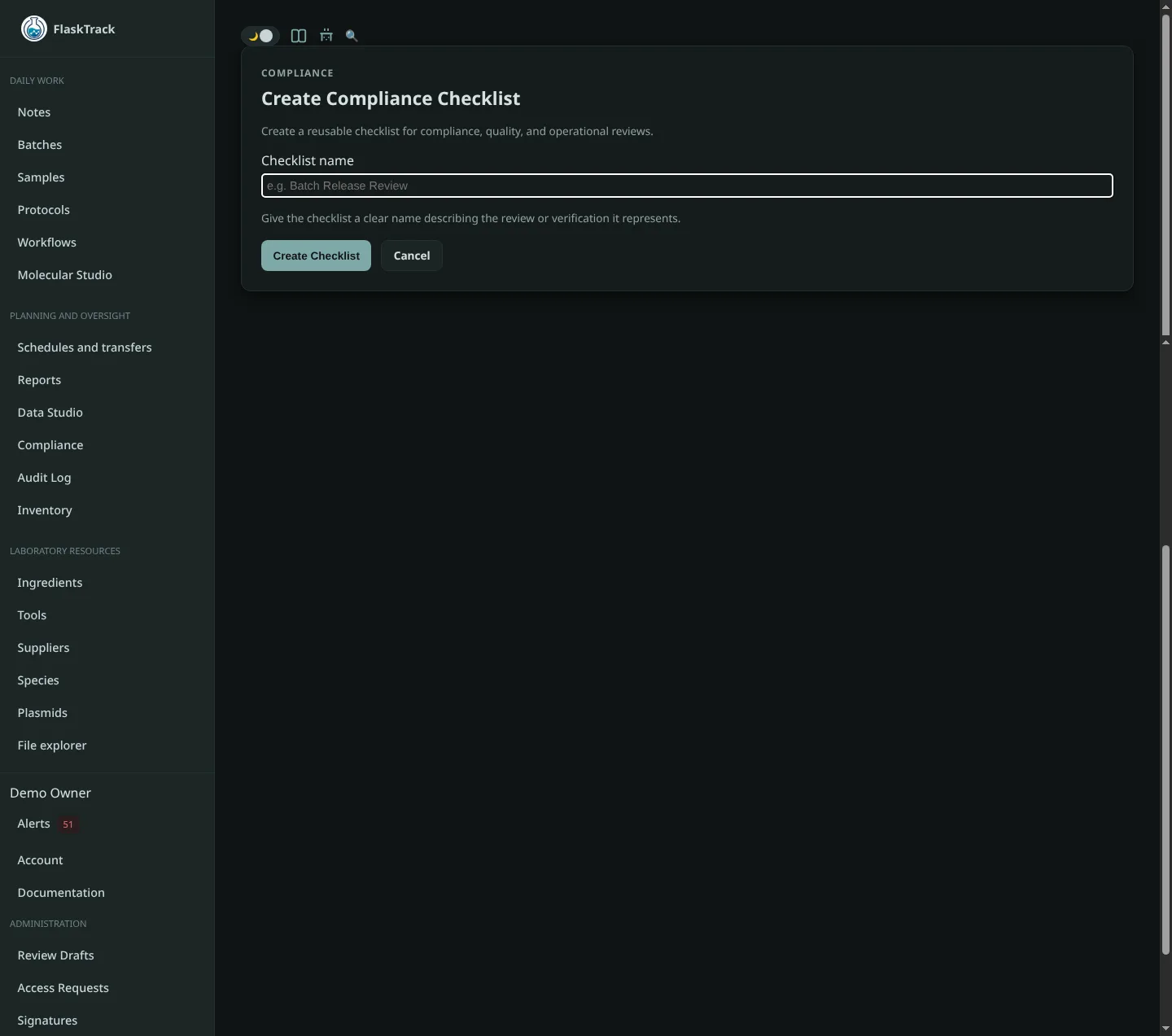
Creating a Checklist

Navigate to the desired Audit Framework and select Create Checklist.

Provide:

Once saved, the checklist can be attached to scope rules that determine when it is enforced.


Checklist Name

Choose a descriptive name that clearly communicates the compliance requirement.

Examples include:

The checklist name appears throughout audits, execution history, approvals, and compliance reports.


Entity Type

Each checklist applies to a specific entity type.

Examples include:

The entity type determines where FlaskTrack can enforce the checklist.

For example:

Entity Typical Use
Species Species initialization requirements
Workflow Workflow-wide regulatory requirements
Protocol Procedure verification
Batch Production run compliance
Sample Individual specimen validation

Reference Documents

Reference documents provide supporting material for operators and auditors.

Examples include:

These documents serve as evidence explaining why checklist items exist and provide operators with guidance during execution.

flowchart LR

    Checklist

    Checklist --> Documents["Reference Documents"]

    Documents --> SOP["SOP"]
    Documents --> Manual["Lab Manual"]
    Documents --> Policy["Internal Policy"]
    Documents --> Publication["Reference Publication"]

Reference documents are optional but strongly recommended for regulated environments.


Checklist Items

Checklist items define the individual requirements that must be satisfied.

Each item consists of:

Examples include:

Items should describe observable or verifiable requirements rather than general recommendations.


Evidence Requirements

Individual checklist items may require evidence before they can be completed.

Examples include:

flowchart LR

    Item["Checklist Item"]

    Item --> Decision{"Evidence Required?"}

    Decision -->|No| Complete["Operator Confirms Item"]

    Decision -->|Yes| Upload["Upload Evidence"]

    Upload --> Complete

When evidence is required, operators cannot complete the checklist item until supporting documentation has been uploaded.

This allows organizations to maintain objective evidence for audits and regulatory inspections.


Designing Effective Checklists

A good checklist should:

Instead of creating one large checklist covering every laboratory process, create focused checklists for specific regulatory concerns.

For example:

Smaller checklists are easier to reuse across multiple workflows and laboratories.


Relationship to Scope Rules

Creating a checklist does not automatically enforce it.

Checklists become active only after they are attached to an audit framework and assigned scope rules.

flowchart LR

    Checklist

    Checklist --> Scope["Scope Rules"]

    Scope --> Species
    Scope --> Protocol
    Scope --> Batch
    Scope --> Sample

    Species --> Enforcement["Enforced During Execution"]
    Protocol --> Enforcement
    Batch --> Enforcement
    Sample --> Enforcement

This separation allows the same checklist to be reused across multiple workflows without duplication.


Relationship to Authorization Rules

Checklist completion is separate from authorization rules.

Authorization rules determine whether an action:

Checklist completion determines whether required compliance activities have been performed.

flowchart TB

    Checklist["Checklist Completed"]

    Checklist --> Compliance["Compliance Status"]

    Compliance --> Authorization["Authorization Rules"]

    Authorization --> Allow["Allow Action"]
    Authorization --> Approval["Require Approval"]
    Authorization --> Block["Block Action"]

Together these systems ensure both procedural compliance and organizational approval policies are enforced.


During Laboratory Execution

When a checklist applies to an entity, operators are prompted to complete each required item.

If evidence is required, FlaskTrack requests the appropriate documentation before allowing the item to be completed.

Completed checklist responses become part of the permanent audit history alongside:

This creates a complete record demonstrating how laboratory work satisfied organizational and regulatory requirements.


Best Practices

When creating compliance checklists:

This modular approach allows organizations to build a library of reusable compliance requirements that can be combined, scoped, and enforced consistently across all laboratory operations.