icon file Flask Track Docs

Review Imported Laboratory Objects

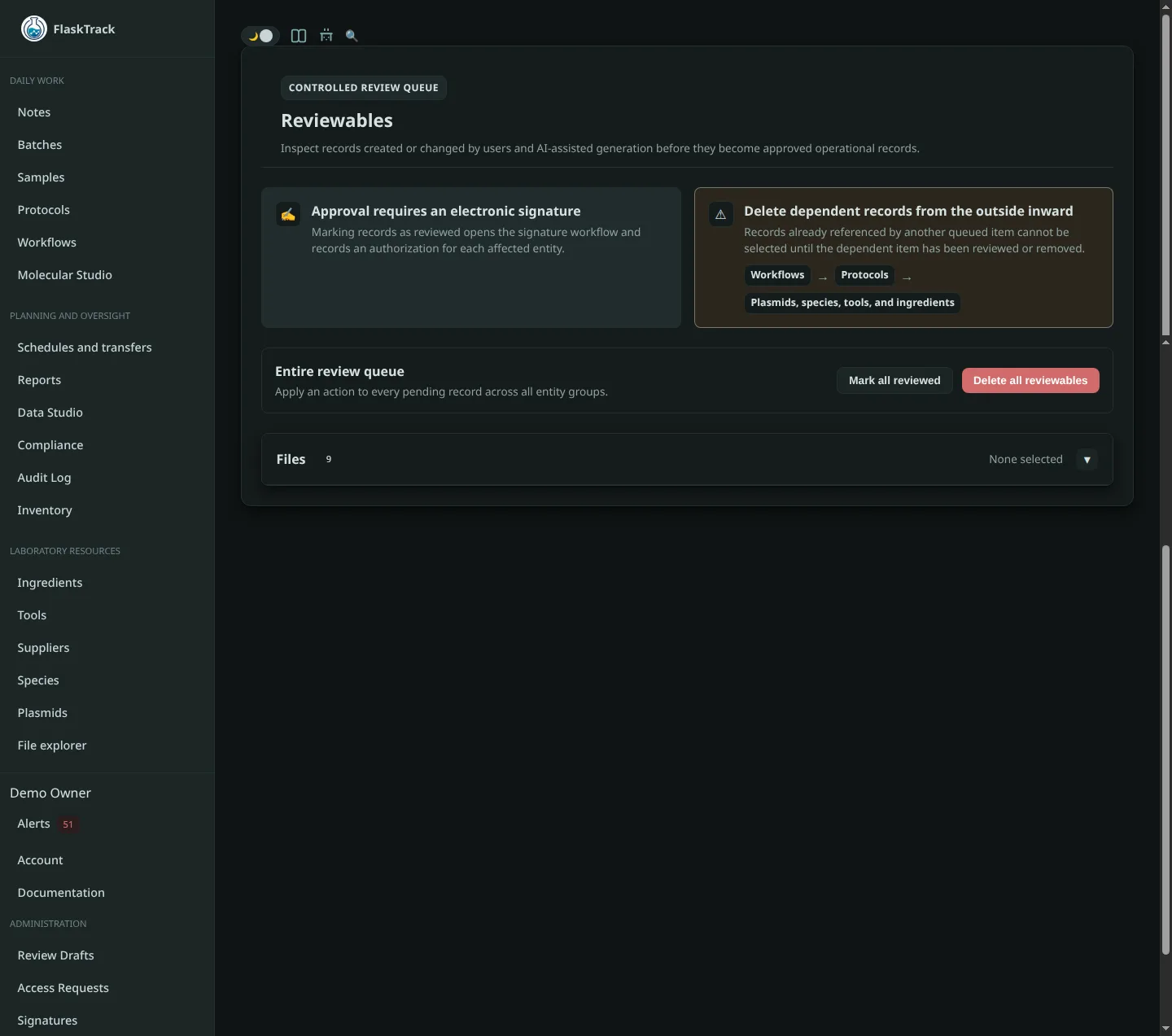
The Reviewables screen provides a controlled approval process for newly created laboratory objects before they become available for production use.

Any newly created or AI-imported laboratory object is initially placed into the review queue.

Until it has been reviewed, it cannot be selected when creating or editing production objects such as batches, samples, workflows, or protocols.

This provides a simple quality-control checkpoint that allows laboratories to validate imported or newly authored content before it becomes part of normal operations.


Why Reviewables Exist

Laboratory procedures, species definitions, ingredients, and workflows directly affect production execution.

Accidentally exposing incomplete, duplicate, or incorrect objects can lead to:

The review process ensures only approved laboratory objects become available throughout the organization.

flowchart LR

    Create["Create or Import"]
        --> Review["Review Queue"]

    Review
        --> Approve["Mark Reviewed"]

    Approve
        --> Production["Available Throughout FlaskTrack"]

    Review
        --> Delete["Delete"]

Objects Requiring Review

The following laboratory objects enter the review queue when they are created or imported:

This applies equally to:


Reviewing Objects

Open the Reviewables page from the navigation menu.

Objects are grouped by type to simplify large review sessions.

Each section displays all pending items awaiting approval.

Typical workflow:

  1. Open the object.
  2. Review its contents.
  3. Make any required edits.
  4. Return to the review queue.
  5. Mark the object as reviewed.

Once marked as reviewed, the object immediately becomes available throughout the organization.


Mark Reviewed

Selecting Mark Reviewed indicates the object has been verified and approved for production use.

flowchart LR

    Draft["Draft Object"]
        --> Reviewed["Reviewed"]

    Reviewed
        --> Available["Available for Production"]

    Available
        --> Batches
    Available
        --> Samples
    Available
        --> Workflows
    Available
        --> Protocols

After approval the object becomes selectable anywhere it is applicable, including:

No additional publishing step is required.


Opening Reviewable Objects

Selecting Open navigates directly to the object editor.

From there you may:

After saving your changes, return to the Reviewables page to approve the object.


Bulk Review

Multiple objects may be reviewed simultaneously.

Use the checkboxes to select one or more entries, then choose:

Entire categories may also be approved using Mark All Reviewed.

This is particularly useful after importing large protocol libraries or AI-generated workflows.


Deleting Reviewable Objects

If an imported object is incorrect, duplicated, or no longer required, it may be removed directly from the review queue.

Deleting a reviewable object permanently removes it before it ever becomes available to production users.

This helps keep laboratory catalogs clean while avoiding accidental use of incomplete or obsolete definitions.


Review Before Production

Reviewables act as the final quality-control stage between authoring laboratory content and using it in production.

flowchart LR

    Author["Manual Creation / AI Import"]
        --> Review["Review Queue"]

    Review
        --> Approve["Reviewed"]

    Approve
        --> Catalog["Organization Catalog"]

    Catalog
        --> Production["Production Execution"]

    Production
        --> Reports["Reporting & Compliance"]

By requiring approval before publication, FlaskTrack allows laboratories to continuously author, import, and refine new workflows without exposing unfinished laboratory content to production users.