Verify plasmids and genetic constructs
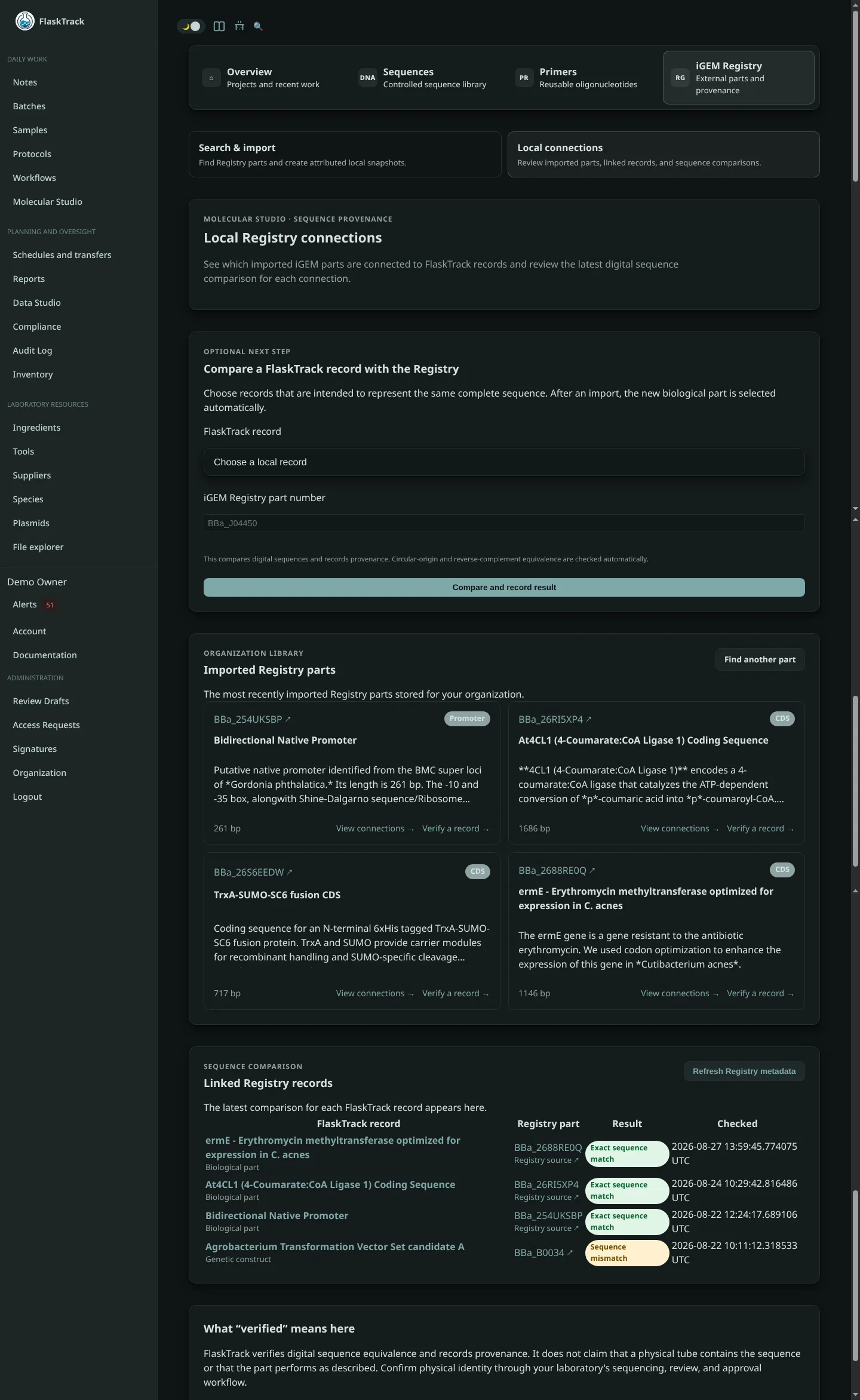
Registry verification compares a local FlaskTrack DNA sequence with the sequence published for a specific iGEM Registry part. FlaskTrack records the result, sequence digests, user, and time in the verification history.
Before you begin
You need:
- a Registry part number, such as
BBa_J04450; and - a local biological part, plasmid, or genetic construct with an available DNA sequence.
The sequence FlaskTrack selects depends on the record type:
| FlaskTrack record | Sequence used for comparison |
|---|---|
| Imported biological part | The sequence stored with the imported part. |
| Plasmid | The plasmid catalog's synchronized released-sequence snapshot. |
| Genetic construct | The current version from the Molecular Studio Sequence Library. |
If a record has no available sequence, FlaskTrack identifies it in the selector and records Local sequence missing if a comparison is attempted.
Run a verification
- Open Molecular Studio → iGEM Registry.
- Select Verify local sequences.
- Under FlaskTrack record, choose the biological part, plasmid, or genetic construct you want to compare.
- Enter the complete iGEM Registry part number.
- Select Compare and record result.
- Review the result under Linked Registry records.
FlaskTrack normalizes both sequences by removing whitespace and treating bases as uppercase before comparison. It does not silently remove, insert, or replace bases.
Circular plasmids
Circular DNA can be written with different starting coordinates even when the underlying sequence is identical. For plasmids, FlaskTrack recognizes a match when the two sequences have the same bases and length but use a different origin coordinate.
FlaskTrack also checks reverse-complement orientation. See Understand verification results for the complete result definitions.
Verification history
Each comparison creates an append-only verification event containing:
- the local record and record type;
- the Registry part UUID and part number;
- the comparison result;
- local and Registry sequence lengths;
- SHA-256 digests for both normalized sequences when present;
- a human-readable explanation;
- the user who ran the comparison; and
- the verification time.
The Linked Registry records table shows the current result for each local record. Re-running a comparison updates the current link while retaining prior events in the audit history.
Recommended laboratory workflow
Use Registry comparison as one step in a controlled verification process:
- Compare the intended digital sequence with the Registry record.
- Sequence or otherwise test the physical material using an appropriate laboratory method.
- Attach the result to the relevant FlaskTrack record or workflow.
- Record deviations, mismatches, or uncertainty.
- Complete your organization's review and approval steps.
Warning
Do not use a digital Registry match as the sole evidence that a physical plasmid, strain, culture, or sample has the expected identity.